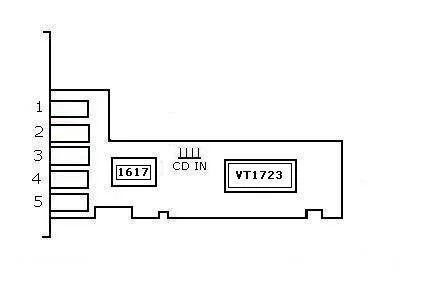

ENM232-6VIA

Ver.1.1


Installing driver on Windows® 98SE/ME/2000/XP/
insert the ENM232-6VIA 5.1 Channel Sound Card
into the slot. Fasten the card to the case using a screw;
Click the Start button on the taskbar and click Run.
Type “D:\autorun.exe”. (assuming D: is your
Sound Card as “PCI Multimedia Audio Device” or
“Cancel” button. We recommend to use the sound
card setup utility instead of Windows at this time.
“Multimedia Audio Controller” device. Click
z Supports the latest Dolby® Digital EX and DTS ES
z Intel® Celeron 350MHz or AMD® K6II 500MHz or
z Supports 96K/24 bit playback; 48K/16 bit recording
z Windows® 98SE, Me, 2000, XP, Windows Vista™
z PCI Rev. 2.2 compliant with bus mastering modes
z ACPI compliant power down management
z Full-duplex 6CH DAC/2CH ADC
5.1 CH DVD soundtrack playback z DirectSoundTM 3 HW acceleration
z DirectX™ 8.1 or above required
z Zoomed Video Port Support
z 128MB RAM or better z CD-ROM Drive
ユーザーまたはスタッフが通常1日以内に回答します。あなたの質問が次の人の助けにもなります。
最初の質問を投稿しましょう。他のユーザーや当チームが回答します。