JA
Contour logo
公式取扱説明書

Contour Contour Stream Player (RTL19-32200)

2 ページ·449 KB·メディアプレーヤー·PDF·EN
Contour Contour Stream Player (RTL19-32200)
Page 1 of the Contour Contour Stream Player (RTL19-32200) user manual
1ページ · クリックして拡大
1ページ

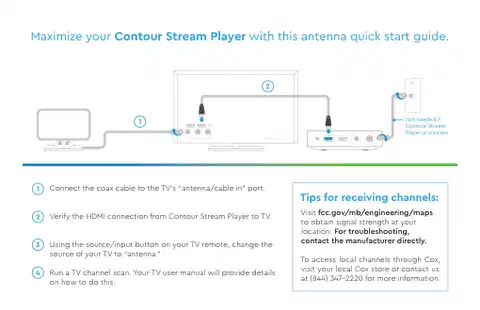
Maximize your Contour Stream Player with this antenna quick start guide.
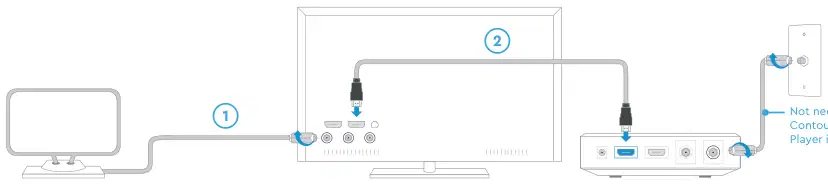
Contour Contour Stream Player (RTL19-32200) diagram (page 1)
図 1

Not needed if Contour Stream Player is wireless 1

Connect the coax cable to the TV’s “antenna/cable in” port.
Contour Contour Stream Player (RTL19-32200) diagram (page 1)
図 2

Verify the HDMI connection from Contour Stream Player to TV.

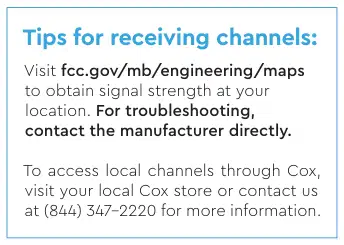
to obtain signal strength at your location. For troubleshooting, contact the manufacturer directly.

Using the source/input button on your TV remote, change the source of your TV to “antenna.” Run a TV channel scan. Your TV user manual will provide details on how to do this.

visit your local Cox store or contact us at (844) 347-2220 for more information.

Contour Contour Stream Player (RTL19-32200)について質問する

ユーザーまたはスタッフが通常1日以内に回答します。あなたの質問が次の人の助けにもなります。

Add your email to get notified when it’s answered — no spam, ever.

0 questions
Contour Contour Stream Player (RTL19-32200)に関する質問はまだありません

最初の質問を投稿しましょう。他のユーザーや当チームが回答します。

原本

Contour Contour Stream Player (RTL19-32200) 取扱説明書(PDF)

2 ページ·449 KB·メディアプレーヤー·PDF
上のページをクリックするとここに表示されます
ページ 1 / …
100%
ページを読み込み中…