JA
TP Link logo
公式取扱説明書

TP Link Smart Wi-Fi Light Switch (HS210 KIT)

5 ページ·1.1 MB·スイッチ·PDF·EN
TP Link Smart Wi-Fi Light Switch (HS210 KIT)
目次 14セクション Smart Wi-Fi Light · Switch, 3-Way Kit · No Hub Required Remote Access Scheduling Two Location Control · HS210 KIT · … 表示非表示
Page 1 of the TP Link Smart Wi-Fi Light Switch (HS210 KIT) user manual — No Hub Required Remote Access Scheduling Two Location Control
1ページ · クリックして拡大
1ページ
TP Link Smart Wi-Fi Light Switch (HS210 KIT) — Smart Wi-Fi Light diagram (page 1)
図 1 · Smart Wi-Fi Light

Smart Wi-Fi Light

Switch, 3-Way Kit

No Hub Required Remote Access Scheduling Two Location Control

HS210 KIT

Page 2 of the TP Link Smart Wi-Fi Light Switch (HS210 KIT) user manual — Highlights
2ページ · クリックして拡大
2ページ

Highlights

The Smart 3-Way Switch Upgrade

Your Home. One App.

3-Way Switching, where a light is controlled from two switch locations, is

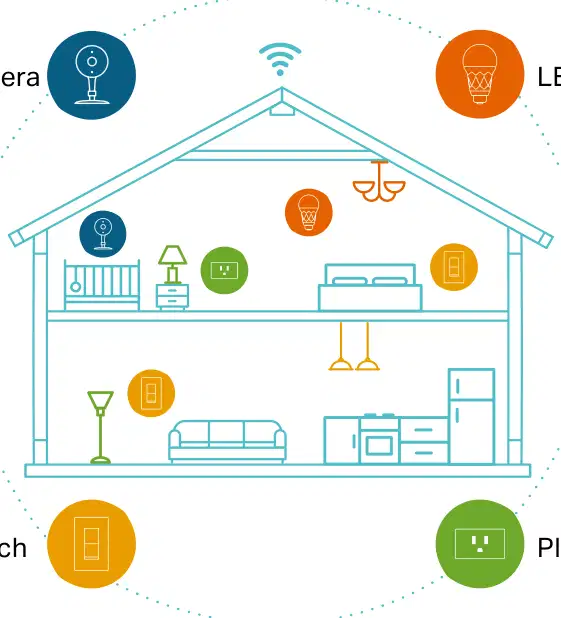
The HS210 Kit is part of the Kasa smart home family of devices including plugs,

common in hallways, stairs, and living rooms. 3-Way Switch wiring can be

cameras, switches and more. With Kasa, your home is never more than a few

complex, but TP-Link’s Smart 3-Way Switch Kit makes it an easy smart home

taps away.

upgrade and provides control from anywhere, scheduling, and much more.

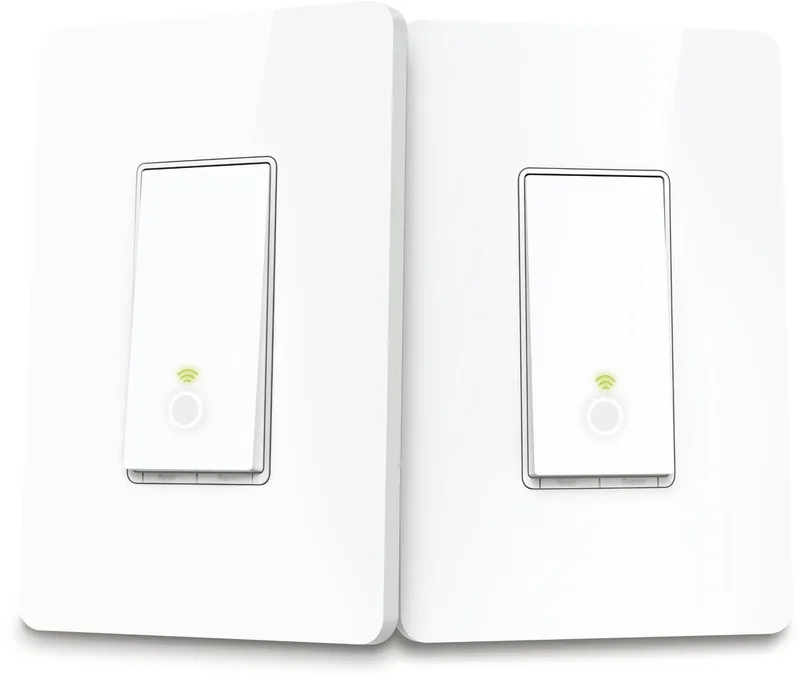
The Kit includes 2 smart switches specially designed for 3-way switch wiring.

The free Kasa app provides step-by-step instructions for wiring your

switches and connecting them to your home Wi-Fi network.

TP Link Smart Wi-Fi Light Switch (HS210 KIT) — Highlights diagram (page 2)
図 2 · Highlights
TP Link Smart Wi-Fi Light Switch (HS210 KIT) — Highlights diagram (page 2)
図 3 · Highlights
TP Link Smart Wi-Fi Light Switch (HS210 KIT) — Highlights diagram (page 2)
図 4 · Highlights
TP Link Smart Wi-Fi Light Switch (HS210 KIT) — Highlights diagram (page 2)
図 5 · Highlights

Works with iOS and Android

TP-Link Smart Wi-Fi Light Switch, 3-Way Kit HS210 KIT

Phone not included;

Page 3 of the TP Link Smart Wi-Fi Light Switch (HS210 KIT) user manual — Highlights
3ページ · クリックして拡大
3ページ

Highlights

Enjoy Hands-free Experience

Control for Peace of Mind

Connect your Smart Switch to Amazon Alexa or Google Home to enjoy a

Turn fixtures on and off based on your daily schedule and preferences. With

full hands-free experience.

“Away Mode”, improve your home security by automatically turning lights on

and off to make it seem like you’re home.

TP Link Smart Wi-Fi Light Switch (HS210 KIT) — Highlights diagram (page 3)
図 6 · Highlights
TP Link Smart Wi-Fi Light Switch (HS210 KIT) — Highlights diagram (page 3)
図 7 · Highlights
TP Link Smart Wi-Fi Light Switch (HS210 KIT) — Highlights diagram (page 3)
図 8 · Highlights

TP-Link Smart Wi-Fi Light Switch, 3-Way Kit HS210 KIT

Page 4 of the TP Link Smart Wi-Fi Light Switch (HS210 KIT) user manual — Ease to Use Compatibility
4ページ · クリックして拡大
4ページ

Features

TP Link Smart Wi-Fi Light Switch (HS210 KIT) — Features diagram (page 4)
図 9 · Features
TP Link Smart Wi-Fi Light Switch (HS210 KIT) — Features diagram (page 4)
図 10 · Features

Ease to Use Compatibility

· Easy Install – Step-by-step install instructions on the Kasa app.

· Works with Amazon & Google Assistant – Easily control your lights by voice commands through support from Amazon Alexa and Google Assistant.

· Anywhere and Anytime – Set up the HS210 KIT and control lights from anywhere with the free Kasa app.

· Compatible with Android, iOS – The free Kasa app lets you run Smart Switch Kit from any Android (4.1 and higher) or iOS (iOS 9 and higher) devices.

· Scheduling – Set lights to turn off and on at set times throughout the day or night.

TP-Link Smart Wi-Fi Light Switch, 3-Way Kit HS210 KIT

Page 5 of the TP Link Smart Wi-Fi Light Switch (HS210 KIT) user manual — Network
5ページ · クリックして拡大
5ページ

Specifications

Working Status

General

· Input voltage100 - 120VAC

· Package Contents:

· Output voltage100 - 120VAC

2* HS210, 3-Way Smart Switches

· Maximum Load15A Resistive Load, 5A Incandescent

2 * wall plates

4 * wire nuts

· CertificationsFCC, IC, UL, RoHS
· ButtonsRestart, Reset

Network

· Operating Temperature0 ºC ~ 40 ºC (32°F ~ 104°F )
· Operating Humidity10%~90%RH, Non-condensing

· System Requirements:

Android 4.1 or higher

iOS 9.0 or higher

Secured Home Wi-Fi network

3-Way switch wiring (single pole, double throw)

Neutral wiring in wall box

Standard lighting wall box (at least 2 inches deep)

· ProtocolIEEE 802.11b/g/n
· Wireless Type2.4GHz

Specifications are subject to change without notice. TP-Link is a registered trademark of TP-Link Technologies Co., Ltd. Other brands and product names are trademarks or registered trademarks of their respective holders. Copyright ©2018 TP-Link Technologies Co., Ltd. All rights reserved.

www.tp-link.com

TP-Link Smart Wi-Fi Light Switch, 3-Way Kit HS210 KIT

Quick Start Guide

情報源

参考資料・リンク

この取扱説明書で参照されているリンク(メーカー、サポート、ダウンロード等)。

TP Link Smart Wi-Fi Light Switch (HS210 KIT)について質問する

ユーザーまたはスタッフが通常1日以内に回答します。あなたの質問が次の人の助けにもなります。

Add your email to get notified when it’s answered — no spam, ever.

0 questions
TP Link Smart Wi-Fi Light Switch (HS210 KIT)に関する質問はまだありません

最初の質問を投稿しましょう。他のユーザーや当チームが回答します。

原本

TP Link Smart Wi-Fi Light Switch (HS210 KIT) 取扱説明書(PDF)

5 ページ·1.1 MB·スイッチ·PDF
上のページをクリックするとここに表示されます
ページ 1 / …
100%
ページを読み込み中…