
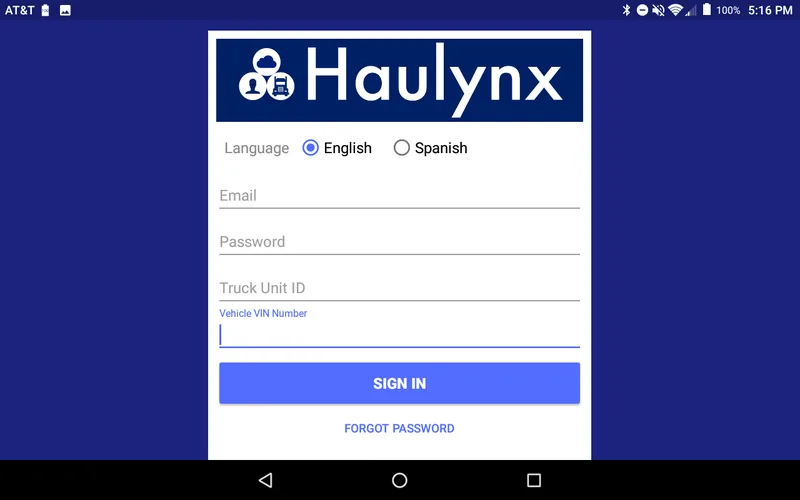


To sign in, driver must input an already registered email and password.
If driver has no account, the driver should contact their Carrier Administrator to create an account for them.
If the Truck ID and Vehicle VIN isn’t already prefilled, then user has to enter these values.


Home screen displays the following information:


The following statuses are available:
Changing “Current Status” · o Personal Conveyance

The following page is to confirm the status change:

You can edit pre-filled location or add location (whenever the system is unable to retrieve it). Also, the Notes field is available for adding remarks to the status.


Logs tab displays a virtual logbook with summary day entries of current and previous days.
Edit Entries

The following page lets to you choose what status to change it to:


Sending Logs:

o Email o Web Service

Certify Logs:


The load tab serves as a record keeper of loads the current driver has hauled.
Tap on any previously added load to edit information.

Add New Load


Required Fields:
ü BOL ü Trailer Number ü Pickup Date & Time ü Drop Off Date & Time


The settings tab includes the following buttons:
o Logs out current driver of ELD • Report Issue
ユーザーまたはスタッフが通常1日以内に回答します。あなたの質問が次の人の助けにもなります。
最初の質問を投稿しましょう。他のユーザーや当チームが回答します。
