1ページ
Skmei watch direct sales www.skmei-watch.com
Operation Instruction
 図 1 · Operation Instruction
Function1. Time Mode, Date Mode
2. 12H format, minute flashing fuction.
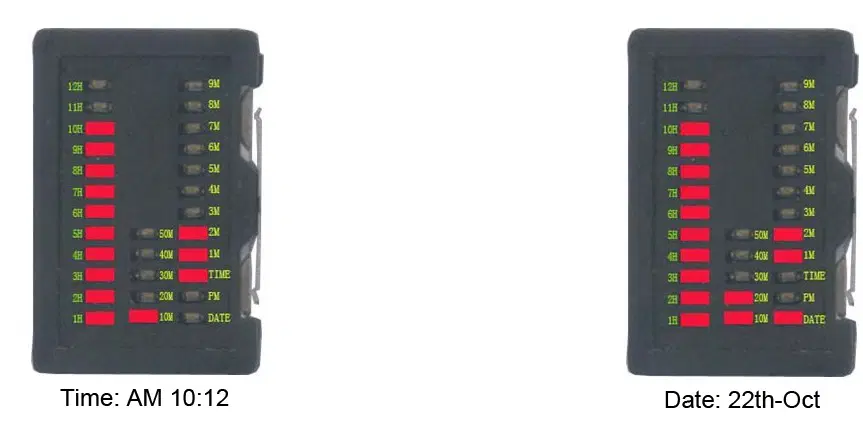 図 2 · Operation Instruction
Press Mode key to convert the Mode
 図 3 · Operation Instruction
Time & Date setting
1. Hold SET key then the HOUR flashing,press MODE key to adjust the Hour.
Hold MODE key can adjust the digital automatically
2. Hold SET key then MINUTE flashing, press MODE key to adjust the Minute.
“PM” light on mean the current time is PM
3. Hold SET key then MONTH flashing, press MODE key to adjust the Month.
4. Hold SET key then DATE flashing, press MODE key to adjust the Date.
5. Hold SET key return to Time mode.