BTHS-AS9

Quick User Guide

Volume Down / Previous Multi-function button(MFB)
Volume Up / Next
Indicator light Protein leather earpads NFC position 3.5mm audio socket
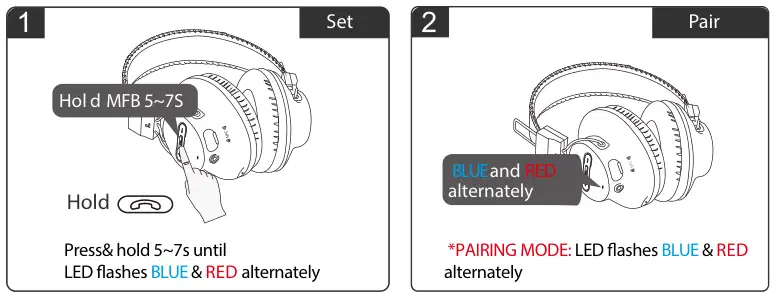
Press& hold 5~7s until LED flashes BLUE & RED alternately
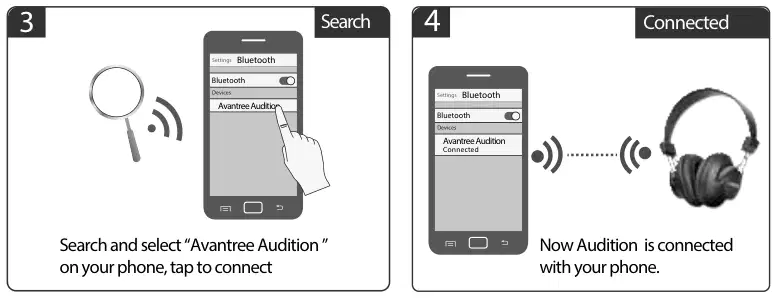
Search and select “Avantree Audition ” on your phone, tap to connect
More FAQs on support.avantree.com
Video user guide: Search “Product Name” on Youtube.com Telephone support refer to http: //www.avantree.com/contact-us Email support: support@avantree.com
Microphone
この取扱説明書で参照されているリンク(メーカー、サポート、ダウンロード等)。
ユーザーまたはスタッフが通常1日以内に回答します。あなたの質問が次の人の助けにもなります。
最初の質問を投稿しましょう。他のユーザーや当チームが回答します。