

Please handle this product with care and inspect it regularly to ensure it is in good working order.
If the product, power supply cord or plug shows any signs of damage: stop use, unplug and contact Kogan.com support.

Safety & Warnings 1 Overview 1 Windows 10 Desktop 2


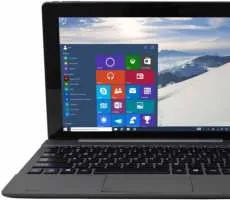
In tablet mode, press the Windows key to view the Start screen. Live Tiles will be displayed: links to apps and webpages for ease of use. You will need a Microsoft account to enjoy full functionality.


Swipe in from the left to view, change and close currently-running applications.
Swipe in from the right to view the Action Centre. Action Centre shows notifications and allows for quick settings like Tablet / PC mode, Wi-Fi, Bluetooth etc.


Sleep, reset and shut down.
User manual is subject to change without notice. For the latest version of your user manual, please visit https://www.kogan.com/usermanuals/
ユーザーまたはスタッフが通常1日以内に回答します。あなたの質問が次の人の助けにもなります。
最初の質問を投稿しましょう。他のユーザーや当チームが回答します。