Instruction manual
10 IT Impastatrice planetaria
16 ES Mezcladora planetaria
DE Planetenrührmaschine
22 PT Misturadora
CP921_DB266_ML_A5_v5_20210528.indb 1 CP921_DB266_ML_A5_v5_20210528.indb 1 2021/5/28 14:10 2021/5/28 14:10
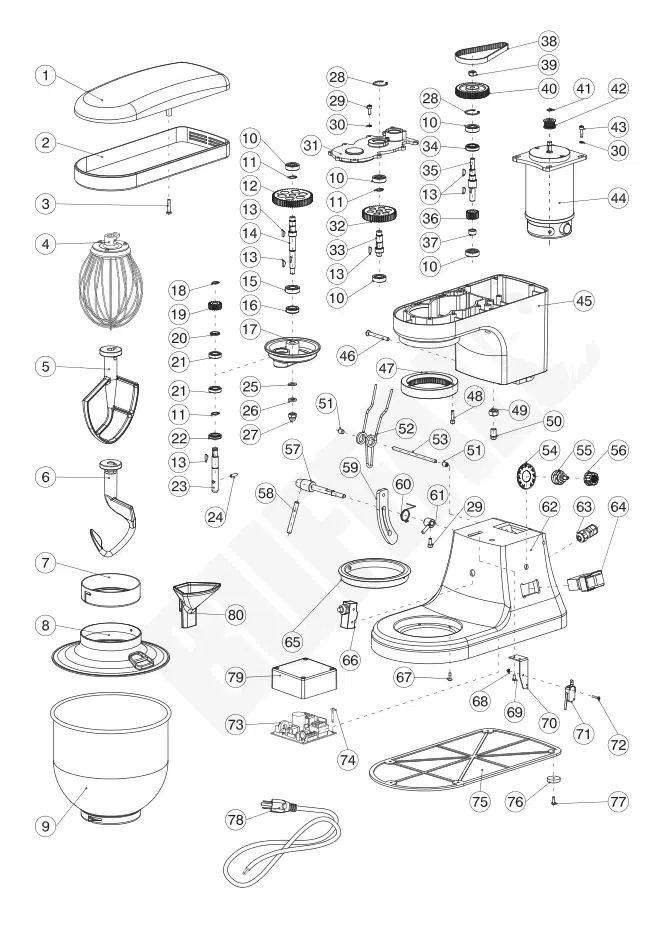
CP921_DB266_ML_A5_v5_20210528.indb 2 CP921_DB266_ML_A5_v5_20210528.indb 2 2021/5/28 14:10 2021/5/28 14:10
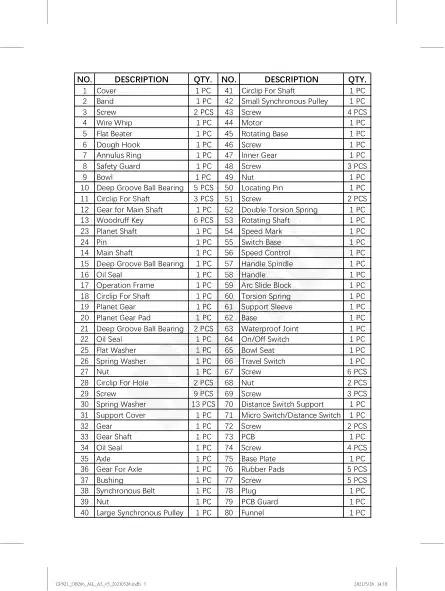
CP921_DB266_ML_A5_v5_20210528.indb 3 CP921_DB266_ML_A5_v5_20210528.indb 3 2021/5/28 14:10 2021/5/28 14:10
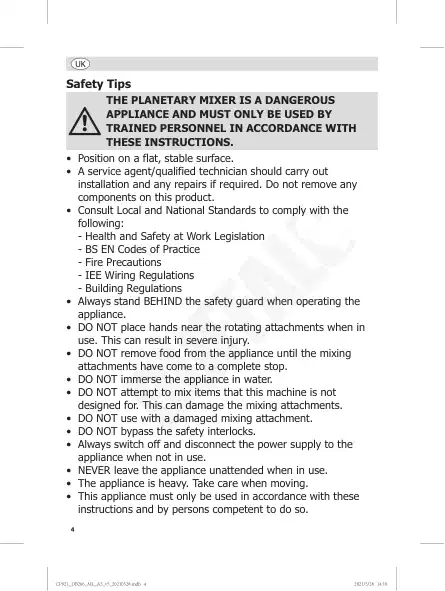
CP921_DB266_ML_A5_v5_20210528.indb 4 CP921_DB266_ML_A5_v5_20210528.indb 4 2021/5/28 14:10 2021/5/28 14:10
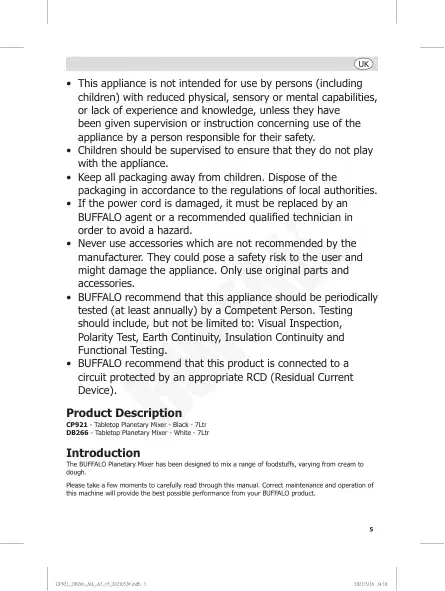
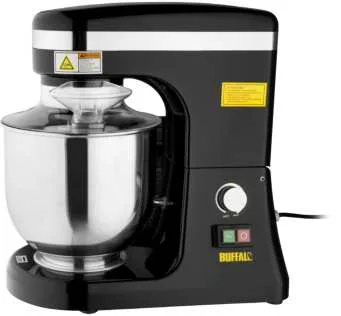
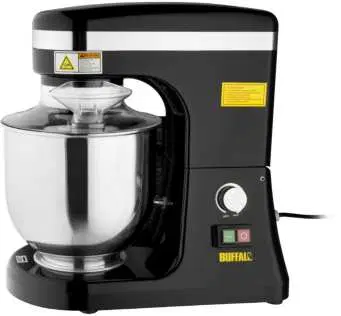
Product Description CP921 - Tabletop Planetary Mixer - Black - 7Ltr DB266 - Tabletop Planetary Mixer - White - 7Ltr
Introduction The BUFFALO Planetary Mixer has been designed to mix a range of foodstuffs, varying from cream to dough.
Please take a few moments to carefully read through this manual. Correct maintenance and operation of this machine will provide the best possible performance from your BUFFALO product.
CP921_DB266_ML_A5_v5_20210528.indb 5 CP921_DB266_ML_A5_v5_20210528.indb 5 2021/5/28 14:10 2021/5/28 14:10
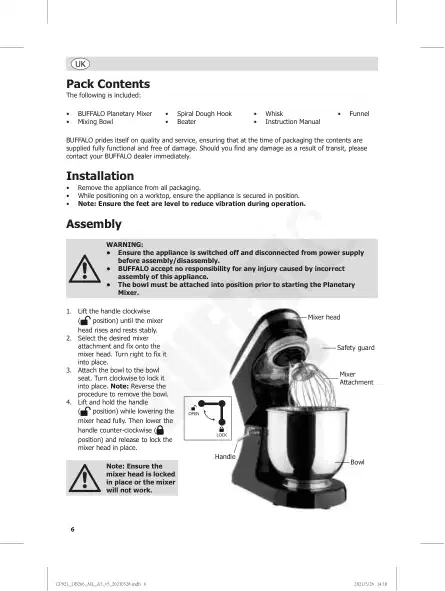
BUFFALO prides itself on quality and service, ensuring that at the time of packaging the contents are supplied fully functional and free of damage. Should you find any damage as a result of transit, please contact your BUFFALO dealer immediately.
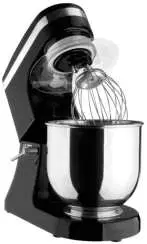
1. Lift the handle clockwise ( position) until the mixer head rises and rests stably. 2. Select the desired mixer attachment and fix onto the mixer head. Turn right to fix it into place. 3. Attach the bowl to the bowl seat. Turn clockwise to lock it into place. Note: Reverse the procedure to remove the bowl. 4. Lift and hold the handle ( position) while lowering the mixer head fully. Then lower the handle counter-clockwise ( position) and release to lock the mixer head in place.
CP921_DB266_ML_A5_v5_20210528.indb 6 CP921_DB266_ML_A5_v5_20210528.indb 6 2021/5/28 14:10 2021/5/28 14:10
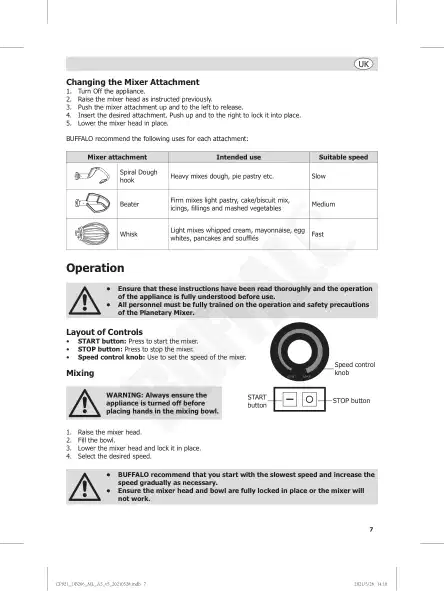
Changing the Mixer Attachment 1. Turn Off the appliance. 2. Raise the mixer head as instructed previously. 3. Push the mixer attachment up and to the left to release. 4. Insert the desired attachment. Push up and to the right to lock it into place. 5. Lower the mixer head in place.
BUFFALO recommend the following uses for each attachment:
STOP button START button
CP921_DB266_ML_A5_v5_20210528.indb 7 CP921_DB266_ML_A5_v5_20210528.indb 7 2021/5/28 14:10 2021/5/28 14:10
Speed control knob
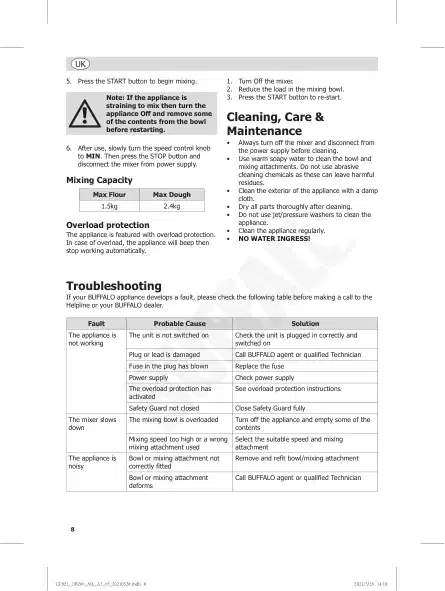
Overload protection The appliance is featured with overload protection. In case of overload, the appliance will beep then stop working automatically.
Troubleshooting If your BUFFALO appliance develops a fault, please check the following table before making a call to the Helpline or your BUFFALO dealer.
CP921_DB266_ML_A5_v5_20210528.indb 8 CP921_DB266_ML_A5_v5_20210528.indb 8 2021/5/28 14:10 2021/5/28 14:10
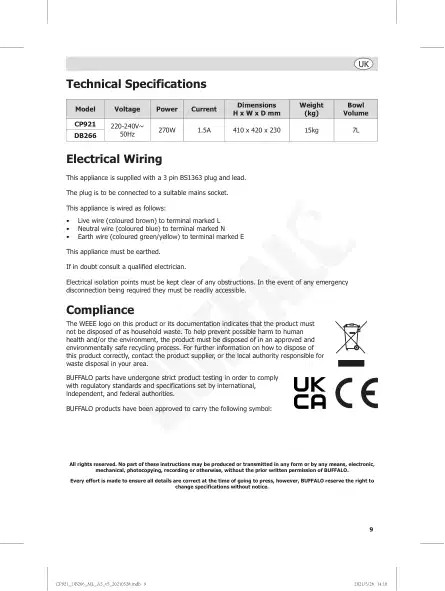
This appliance is supplied with a 3 pin BS1363 plug and lead.
The plug is to be connected to a suitable mains socket.
This appliance is wired as follows:
This appliance must be earthed.
If in doubt consult a qualified electrician.
Electrical isolation points must be kept clear of any obstructions. In the event of any emergency disconnection being required they must be readily accessible.
The WEEE logo on this product or its documentation indicates that the product must not be disposed of as household waste. To help prevent possible harm to human health and/or the environment, the product must be disposed of in an approved and environmentally safe recycling process. For further information on how to dispose of this product correctly, contact the product supplier, or the local authority responsible for waste disposal in your area.
BUFFALO parts have undergone strict product testing in order to comply with regulatory standards and specifications set by international, independent, and federal authorities.
BUFFALO products have been approved to carry the following symbol:
All rights reserved. No part of these instructions may be produced or transmitted in any form or by any means, electronic,
mechanical, photocopying, recording or otherwise, without the prior written permission of BUFFALO.
Every effort is made to ensure all details are correct at the time of going to press, however, BUFFALO reserve the right to
change specifications without notice.
CP921_DB266_ML_A5_v5_20210528.indb 9 CP921_DB266_ML_A5_v5_20210528.indb 9 2021/5/28 14:10 2021/5/28 14:10
よくあるトラブル、考えられる原因、対処法。
| 問題 | 考えられる原因 | 対処法 | |
|---|---|---|---|
| The appliance is not working | The unit is not switched on | Check the unit is plugged in correctly and switched on | p.8 |
| The appliance is not working | Plug or lead is damaged | Call BUFFALO agent or qualified Technician | p.8 |
| The appliance is not working | Fuse in the plug has blown | Replace the fuse | p.8 |
| The appliance is not working | Power supply | Check power supply | p.8 |
| The appliance is not working | The overload protection has activated | See overload protection instructions | p.8 |
| The appliance is not working | Safety Guard not closed | Close Safety Guard fully | p.8 |
| The mixer slows down | The mixing bowl is overloaded | Turn off the appliance and empty some of the contents | p.8 |
| The mixer slows down | Mixing speed too high or a wrong mixing attachment used | Select the suitable speed and mixing attachment | p.8 |
| The appliance is noisy | Bowl or mixing attachment not correctly fitted | Remove and refit bowl/mixing attachment | p.8 |
| The appliance is noisy | Bowl or mixing attachment deforms | Call BUFFALO agent or qualified Technician | p.8 |
ユーザーまたはスタッフが通常1日以内に回答します。あなたの質問が次の人の助けにもなります。
最初の質問を投稿しましょう。他のユーザーや当チームが回答します。