JA
Socket Mobile logo
公式取扱説明書

Socket Mobile Durascan 800 Series Ultimate Barcode Scanner

4 ページ·78 KB·スキャナー·PDF·EN
Socket Mobile Durascan 800 Series Ultimate Barcode Scanner
目次 5セクション Klip for DuraScan ® 800 Series and 800 Series with FlexGuard · KLIP INSTRUCTION STEP 1 · KLIP INSTRUCTION STEP 2 · HOW TO REMOVE SCANNER · … 表示非表示
Page 1 of the Socket Mobile Durascan 800 Series Ultimate Barcode Scanner user manual — Klip for DuraScan ® 800 Series and 800 Series with FlexGuard
1ページ · クリックして拡大
1ページ

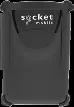
Klip for DuraScan ® 800 Series and 800 Series with FlexGuard

Durascan 800 Series SocketScan 800 Series
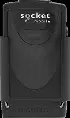
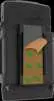
Socket Mobile Durascan 800 Series Ultimate Barcode Scanner — Klip for DuraScan ® 800 Series and 800 Series with FlexGuard diagram (page 1)
図 1 · Klip for DuraScan ® 800 Series and 800 Series with F…
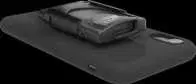
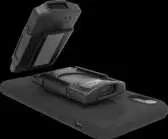
Socket Mobile Durascan 800 Series Ultimate Barcode Scanner — Klip for DuraScan ® 800 Series and 800 Series with FlexGuard diagram (page 1)
図 2 · Klip for DuraScan ® 800 Series and 800 Series with F…
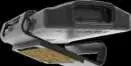
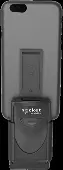
Socket Mobile Durascan 800 Series Ultimate Barcode Scanner — Klip for DuraScan ® 800 Series and 800 Series with FlexGuard diagram (page 1)
図 3 · Klip for DuraScan ® 800 Series and 800 Series with F…

with FlexGuard

Page 2 of the Socket Mobile Durascan 800 Series Ultimate Barcode Scanner user manual — KLIP INSTRUCTION STEP 1
2ページ · クリックして拡大
2ページ

KLIP INSTRUCTION STEP 1

1. Attach your scanner in the Klip.
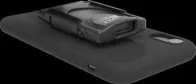
Socket Mobile Durascan 800 Series Ultimate Barcode Scanner — KLIP INSTRUCTION STEP 1 diagram (page 2)
図 4
Socket Mobile Durascan 800 Series Ultimate Barcode Scanner — KLIP INSTRUCTION STEP 1 diagram (page 2)
図 5

*Ensure the power button on the side is visible.

DuraScan FlexGuard

Page 3 of the Socket Mobile Durascan 800 Series Ultimate Barcode Scanner user manual — KLIP INSTRUCTION STEP 2
3ページ · クリックして拡大
3ページ

KLIP INSTRUCTION STEP 2

2. Peel and stick it on the desired location of the back of your case.
Socket Mobile Durascan 800 Series Ultimate Barcode Scanner — KLIP INSTRUCTION STEP 2 diagram (page 3)
図 6
Socket Mobile Durascan 800 Series Ultimate Barcode Scanner — KLIP INSTRUCTION STEP 2 diagram (page 3)
図 7
Page 4 of the Socket Mobile Durascan 800 Series Ultimate Barcode Scanner user manual — 11/ 2019 6430-00405A
4ページ · クリックして拡大
4ページ

HOW TO REMOVE SCANNER

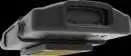
Slide scanner and Klip down from the cover piece.
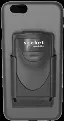
Socket Mobile Durascan 800 Series Ultimate Barcode Scanner — HOW TO REMOVE SCANNER diagram (page 4)
図 8
Socket Mobile Durascan 800 Series Ultimate Barcode Scanner — HOW TO REMOVE SCANNER diagram (page 4)
図 9

11/ 2019 6430-00405A

Socket Mobile Durascan 800 Series Ultimate Barcode Scannerについて質問する

ユーザーまたはスタッフが通常1日以内に回答します。あなたの質問が次の人の助けにもなります。

Add your email to get notified when it’s answered — no spam, ever.

0 questions
Socket Mobile Durascan 800 Series Ultimate Barcode Scannerに関する質問はまだありません

最初の質問を投稿しましょう。他のユーザーや当チームが回答します。

原本

Socket Mobile Durascan 800 Series Ultimate Barcode Scanner 取扱説明書(PDF)

4 ページ·78 KB·スキャナー·PDF
上のページをクリックするとここに表示されます
ページ 1 / …
100%
ページを読み込み中…