JA
XIAOMI logo
公式取扱説明書

XIAOMI Mi Watch (XMWTCL02)

68 ページ·1.5 MB·腕時計·PDF·EN
XIAOMI Mi Watch (XMWTCL02)
目次 27セクション Mi Watch User Manual · Mi Watch Benutzerhandbuch · Manuale utente Mi Watch · Manuel d’utilisation de Mi Watch · … 表示非表示
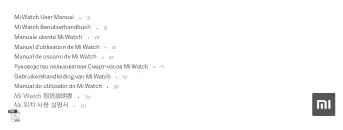
Page 1 of the XIAOMI Mi Watch (XMWTCL02) user manual — Mi 워치 사용 설명서
1ページ · クリックして拡大
1ページ

Mi Watch User Manual

  • 01

Mi Watch Benutzerhandbuch

  • 15

Manuale utente Mi Watch

  • 29

Manuel d’utilisation de Mi Watch

  • 43

Manual de usuario de Mi Watch

  • 57

Руководство пользователя Смарт-часов Mi Watch

  • 71

Gebruikershandleiding van Mi Watch

  • 82

Manual do utilizador do Mi Watch

  • 96

Mi Watch 取扱説明書

  • 110

Mi 워치 사용 설명서

  • 121
Page 2 of the XIAOMI Mi Watch (XMWTCL02) user manual — Product Overview
2ページ · クリックして拡大
2ページ

Product Overview

Before use, please read and comply with the safety precautions in this user manual. Read this manual carefully before use, and retain it for future reference.

Heart Rate Sensor Area

Show 7 more labels / short text on this page
Microphone & Barometer · USB Connector · Home Button · Display Screen · Contact Point · Sport Button · Charging Dock
Page 3 of the XIAOMI Mi Watch (XMWTCL02) user manual — How to Wear
3ページ · クリックして拡大
3ページ

How to Wear

How to Connect

For daily use, comfortably tighten the band around your wrist about one-finger width away from your wrist bone. Ensure the heart rate sensor can collect data normally.

Download and install the Xiaomi Wear/Xiaomi Wear Lite app to better manage your watch, and log in to your Mi account for more services.

1. Press and hold the home button for three seconds to turn on the watch. Scan the QR code on the display screen with your phone, then download and install the Xiaomi Wear/Xiaomi Wear Lite app. You can also download and install the app from the app stores, or scan the QR code below.

Scan the QR code, and select the right version to download the app.

Android DeviceXiaomi Wear App
iOS DeviceXiaomi Wear Lite App
Page 4 of the XIAOMI Mi Watch (XMWTCL02) user manual — Screen Instructions
4ページ · クリックして拡大
4ページ

How to Use

2. Log into your Mi account in the Xiaomi Wear /Xiaomi Wear Lite app, select Add device and follow the instructions to add your watch.

Screen Instructions

3. Grant the pairing request on the watch. When an identical pairing code is displayed on both the phone and the watch, tap Pair on your phone to complete the pairing.
View notificationsSwipe down from the top on the home screen
Open control panelSwipe up from the bottom on the home screen
Switch widgetSwipe left or right on the home screen
  • During pairing, make sure the Bluetooth is enabled on your phone and the watch is well connected with your phone.
Go backSwipe from the left edge to the right on other pages
  • If the pairing code appears on the watch but not on the phone, please check whether there is a pairing request in the notifications of the phone.
  • If you cannot find the watch while adding a device, or cannot connect with the watch during use, please press and hold the home button for three seconds to restore factory settings, then try again.

· ·

Page 5 of the XIAOMI Mi Watch (XMWTCL02) user manual — Disassembly
5ページ · クリックして拡大
5ページ

Disassembly

Button Instructions

Adjust the position of the buckle according to the circumference of your wrist. If you need to remove the strap, refer to the figures below. Make sure you pull the strap after attaching it to ensure the strap is installed securely.

Press and hold for three seconds to turn on/off.

XIAOMI Mi Watch (XMWTCL02) — Disassembly diagram (page 5)
図 1 · Disassembly

Press and hold for 15 seconds to force restart.

Press to enter the function list from home screen.

Press to pause/resume during a workout; press and hold to exit the workout.

Press to switch the data page during a workout.

Press to open the shortcut (workout list by default) when not in a workout.

Page 6 of the XIAOMI Mi Watch (XMWTCL02) user manual — Charging
6ページ · クリックして拡大
6ページ

Charging

Specifications

1. Place the watch on the charging dock. Make sure the contact points both on the back of the watch and the charging dock are making contact with each other.
NameMi Watch
Wireless ConnectivityBluetooth 5.0 BLE
ModelXMWTCL02
Battery Capacity420 mAh
2. Connect the charging dock to a standard adapter at an output voltage of 5 V and an output current of 0.5 A or higher.
Device NameBluetooth Device
Satellite PositioningGPS & GLONASS
Display Screen1.39 inch AMOLED
Compatible withAndroid 4.4 & iOS 10 or above
  • If the watch is unable to turn on after it has not been used for a while, it needs to be charged for about 1 minute before the charging icon is displayed.
Resolution454 × 454
Rated Input5 V 0.5 A

Sensor: Heart rate sensor (including the function of measuring blood oxygen levels), accelerometer, gyroscope, geomagnetic sensor, barometric pressure sensor, ambient light sensor

Item Dimensions45.9 × 53.35 × 11.8 mm (excluding strap and protrusions)
  • Wipe the watch's contact points clean before charging so as to avoid residual sweat or moisture.
Page 7 of the XIAOMI Mi Watch (XMWTCL02) user manual — Safety Precautions
7ページ · クリックして拡大
7ページ

Safety Precautions

  • When using the watch to measure your heart rate, please hold your wrist still.

sunlight, fire, or other conditions with extreme heat. There's a risk of explosion if the battery is incorrectly installed. Only replace with the same or an equivalent type of battery.

  • The watch has a water resistance rating of 5 ATM. However, this function is not permanent and may decline over time. The watch can be worn in the cold shower, swimming pool, or while swimming near the shore. However, it cannot be used in a sauna or while scuba diving.
  • Do not disassemble, puncture, strike, crush or throw the battery into a fire. Stop using the battery immediately if there is any swelling or fluid leakage.
  • The screen of the watch does not support underwater operations. When the watch comes into contact with water, use a soft cloth to wipe away excess water from its surface before use.
  • Never throw the watch or its battery into a fire so as to avoid an explosion.
  • This watch is not a medical device, any data or information provided by the watch should not be used as a basis for diagnosis, treatment, and prevention of diseases.
  • During daily use, avoid wearing the watch too tightly. Keep its contact area dry and regularly clean the strap with water. Immediately stop using the watch and seek medical assistance if the contact area on your skin shows signs of redness or swelling. Due to friction, wearing the watch for a long time during high-intensity exercise may cause skin irritation. If this is the case, please stop wearing the watch.
  • The watch and its accessories may contain small parts. To avoid choking or other hazards or damages caused by the children, keep the watch out of the reach of children.
  • Use the included charging dock to charge the watch. Only use qualified or certified power adapter supplied by qualified manufacturers.
  • This watch is not a toy and should only be used by children under adult supervision.
  • Keep the power adapter, charging dock, and watch in a dry environment while charging. Do not touch the power adapter or charging dock with wet hands. Do not expose the power adapter, charging dock, and watch to rain or other liquids.
  • Please use the watch within a temperature range of -10°C to 45°C. When the ambient temperature is too high or too low, the watch may malfunction.
  • This watch is equipped with a built-in battery that cannot be removed. Do not disassemble the watch. Do not expose batteries or battery packs to
Page 8 of the XIAOMI Mi Watch (XMWTCL02) user manual — EU Declaration of Conformity
8ページ · クリックして拡大
8ページ

Regulatory Compliance Information

Safety information

WEEE Information

Caution

All products bearing this symbol are waste electrical and electronic equipment (WEEE as in directive 2012/19/EU) which should not be mixed with unsorted household waste. Instead, you should protect human health and the environment by handing over your waste equipment to a designated collection point for the recycling of waste electrical and electronic equipment, appointed by the government or local authorities. Correct disposal and recycling will help prevent potential negative consequences to the environment and human health. Please contact the installer or local authorities for more information about the location as well as terms and conditions of such collection points.

Battery abuse or mishandling can cause overheat, liquid leakage, or an explosion. To avoid possible injury, do the following:

  • Do not open, disassemble, or service any battery.
  • Do not attempt to replace the internal rechargeable lithium batteries.
  • Do not crush or puncture the battery.
  • Do not short-circuit the battery, or expose it to water or other liquids.
  • Keep the battery away from children.
  • Keep the battery away from fire.
  • Do not leave the battery in an extremely high-temperature environment or an extremely low air pressure environment.

EU Declaration of Conformity

  • Stop using the battery if it is damaged, or if you notice any discharge or the buildup of foreign materials on the battery leads. We recommend that the batteries be charged about once every three months to prevent overcharge.

The manufacturer hereby, declares that this equipment is in compliance with the applicable Directives and European Norms, and amendments. The full text of the EU declaration of conformity is available at the following internet address: http://www.mi.com/global/service/support/declaration.html

  • Do not put the battery in trash that is disposed of in landfills. When disposing of the battery, comply with local laws or regulations.
Page 9 of the XIAOMI Mi Watch (XMWTCL02) user manual — M.10 Instructions to prevent reasonably foreseeable misuse
9ページ · クリックして拡大
9ページ

M.10 Instructions to prevent reasonably foreseeable misuse

Produktübersicht

A battery incorporated in the equipment and a battery together with its associated components (including cells and electric power generators) shall be so constructed that an electric shock or fire safeguard failure (for example, flammable chemical leakage causing fire or insulation damage) is unlikely, taking all reasonably foreseeable conditions into account. If applicable, this shall include extreme conditions as specified by the manufacturer, such as: – high or low extreme temperatures that a battery can be subjected to during use, storage or transportation; and – low air pressure at high altitude. Where providing safety devices or design in a battery or equipment is not reasonably practical considering the functional nature of the battery or equipment containing a battery, instructional safeguards in accordance with Clause F.5 shall be provided to protect the battery from extreme conditions or user’s abuse. Examples that shall be considered include: – replacement of a battery with an incorrect type that can defeat a safeguard (for example, in the case of some lithium battery types); – disposal of a battery into fire or a hot oven, or mechanically crushing or cutting of a battery, that can result in an explosion; – leaving a battery in an extremely high temperature surrounding environment that can result in an explosion or the leakage of flammable liquid or gas; – a battery subjected to extremely low air pressure that may result in an explosion or the leakage of flammable liquid or gas. Compliance is checked by inspection, by evaluation of available data provided by the manufacturer, and, if required, by abnormal operating condition tests according to B.3.6 considering all possible installation, transportation and use conditions.

Bitte lesen und beachten Sie vor dem Gebrauch die Sicherheitsvorkehrungen in diesem Benutzerhandbuch. Lesen Sie diese Handbuch vor der Verwendung sorgfältig und bewahren Sie es auf, um zukünftig die Informationen nachlesen zu können.

Show 8 more labels / short text on this page
Mikrofon & Barometer · USB-Anschluss · Home-Taste · Bildschirm · Kontaktpunkt · Sport-Taste · Herzfrequenzsensor-Bereich · Ladestation

XIAOMI Mi Watch (XMWTCL02)について質問する

ユーザーまたはスタッフが通常1日以内に回答します。あなたの質問が次の人の助けにもなります。

Add your email to get notified when it’s answered — no spam, ever.

0 questions
XIAOMI Mi Watch (XMWTCL02)に関する質問はまだありません

最初の質問を投稿しましょう。他のユーザーや当チームが回答します。

原本

XIAOMI Mi Watch (XMWTCL02) 取扱説明書(PDF)

68 ページ·1.5 MB·腕時計·PDF
上のページをクリックするとここに表示されます
ページ 1 / …
100%
ページを読み込み中…