

TM KB5220W-C Chrome Wireless Keyboard
User’s Guide

Copyright © 2019 Dell Inc. or its subsidiaries. All rights reserved. Dell, EMC, and other trademarks are trademarks of Dell Inc. or its subsidiaries. Other trademarks may be trademarks of their respective owners. 2019 – 09
Rev. A00


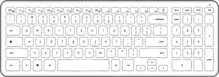
4 │ Setup

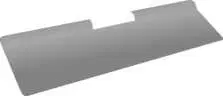
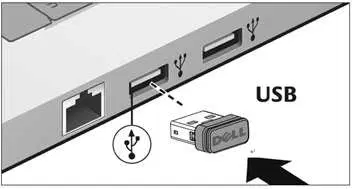
Setting Up Your Wireless Keyboard │ 5

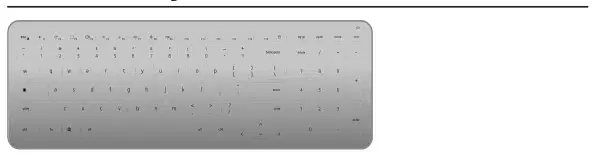
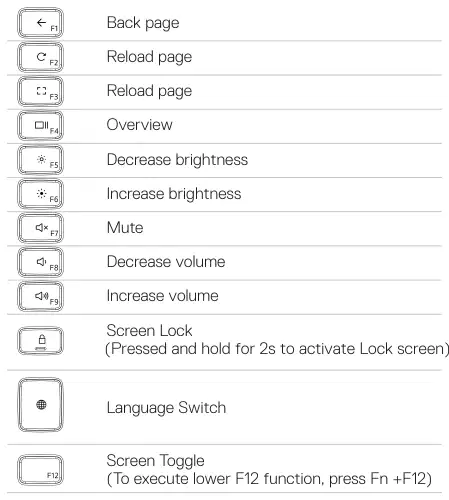
Screen Lock (Pressed and hold for 2s to activate Lock screen)
Screen Toggle (To execute lower F12 function, press Fn +F12)
6 │ Function keys


Function keys │ 7

If you have problems with your keyboard:
8 │ Troubleshooting

Connection type 2.4 GHz wireless technology
Supported operating systems Google Chrome
Rollover Pseudo N-key rollover capability
Operating voltage 2.05 V to 3.2 V
Battery life Approximately 12 months
Battery required Two AAA Alkaline
Operating temperature 0 °C to 40 °C
Storage temperature -40 °C to 65 °C
Operating humidity 90% maximum Relative Humidity, non condensing
Storage humidity 95% maximum Relative Humidity, non condensing
2.4 GHz Wireless
Radio transmission Bi-directional communication (Transceiver)
Range Up to 10 m

Dell-branded products carry a 1-year limited hardware warranty. If purchased together with Dell system, it will follow the system warranty.
For U.S. customers:
This purchase and your use of this product are subject to Dell’s end user agreement, which you can find at www.dell.com/terms. This document contains a binding arbitration clause.
For European, Middle Eastern and African customers:
Dell-branded products that are sold and used are subject to applicable national consumer legal rights, the terms of any retailer sale agreement that you have entered into (which will apply between you and the retailer) and Dell’s end user contract terms. Dell may also provide an additional hardware warranty – full details of the Dell end user contract and warranty terms can be found by going to www.dell.com, selecting your country from the list at the bottom of the “home” page and then clicking the “terms and conditions” link for the end user terms or the “support” link for the warranty terms.
For non-U.S. customers:
Dell-branded products that are sold and used are subject to applicable national consumer legal rights, the terms of any retailer sale agreement that you have entered into (which will apply between you and the retailer) and Dell’s warranty terms. Dell may also provide an additional hardware warranty – full details of Dell’s warranty terms can be found by goingto www.dell.com, selecting your country from the list at the bottom of the “home” page and then clicking the “terms and conditions” link or the “support” link for the warranty terms.
10 │ Limited Warranty and Return Policies
この取扱説明書で参照されているリンク(メーカー、サポート、ダウンロード等)。
ユーザーまたはスタッフが通常1日以内に回答します。あなたの質問が次の人の助けにもなります。
最初の質問を投稿しましょう。他のユーザーや当チームが回答します。

