JA
Kogan logo
公式取扱説明書

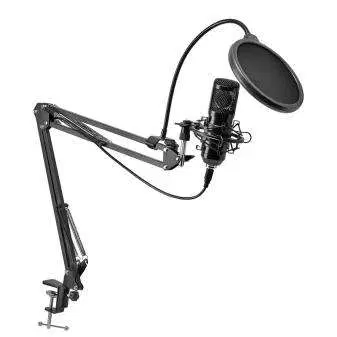
Kogan USB Condenser Microphone (KACONMICPHA)

5 ページ·107 KB·マイクロホン·PDF·EN
Kogan USB Condenser Microphone (KACONMICPHA)
目次 6セクション USB CONDENSER MICROPHONE WITH POP FILTER & STAND · KACONMICPHA · SAFETY & WARNINGS · INSTALLATION · … 表示非表示
Page 1 of the Kogan USB Condenser Microphone (KACONMICPHA) user manual — KACONMICPHA
1ページ · クリックして拡大
1ページ
Kogan USB Condenser Microphone (KACONMICPHA) — USB CONDENSER MICROPHONE WITH POP FILTER & STAND diagram (page 1)
図 1
Kogan USB Condenser Microphone (KACONMICPHA) — USB CONDENSER MICROPHONE WITH POP FILTER & STAND diagram (page 1)
図 2

USB CONDENSER MICROPHONE WITH POP FILTER & STAND

KACONMICPHA

Page 2 of the Kogan USB Condenser Microphone (KACONMICPHA) user manual — INSTALLATION
2ページ · クリックして拡大
2ページ

SAFETY & WARNINGS

Lower the volume before moving the microphone as very loud feedback can occur when the top of the microphone is covered by hands or the microphone is moved near to the speaker.

Take care not to let the microphone fall or suffer physical damage.

Do not store the microphone in a hot or damp place.
INSTALLATION

1. Connect the base to the stand.
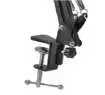
2. Hand-loosen the base using the dial on the back to adjust its clearance, then slide it over the installation surface and tighten it to secure. Use the small screw on the bottom to tighten further.
Kogan USB Condenser Microphone (KACONMICPHA) — INSTALLATION diagram (page 2)
図 3
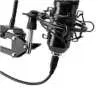
3. Connect the top of the bracket to the plastic shock-proof frame.
4. Use the large screw button of the bracket to adjust the bracket angle and use the small screw button on the frame to adjust the frame angle.
Kogan USB Condenser Microphone (KACONMICPHA) — INSTALLATION diagram (page 2)
図 4
Page 3 of the Kogan USB Condenser Microphone (KACONMICPHA) user manual — SPECIFICATIONS
3ページ · クリックして拡大
3ページ
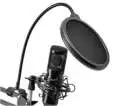
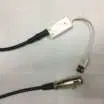
5. Install the pop filter and sponge ball as shown below. Connect the audio cable and route it through the shock-proof stand.
Kogan USB Condenser Microphone (KACONMICPHA) — SPECIFICATIONS diagram (page 3)
図 5
6. After the microphone is installed and connected, plug the audio cable to the sound card and connect the sound card to the computer – alternatively, the audio cable can be connected directly to the computer.
Kogan USB Condenser Microphone (KACONMICPHA) — SPECIFICATIONS diagram (page 3)
図 6

SPECIFICATIONS

Polar patternUnidirectional Frequency response20Hz-20kHz Sensitivity-34dB±2dB (0dB=1V/Pa at 1kHz) Output impedance150Ω±30% (at 1kHz) Load impedance≥1000Ω Equivalent noise level16dBA Maximum SPL130dB (at 1kHz ≤ 1% T.H.D) S/N Ratio78dB Electrical current3mA
Page 4 of the Kogan USB Condenser Microphone (KACONMICPHA) user manual — IN THE BOX
4ページ · クリックして拡大
4ページ

IN THE BOX

Kogan USB Condenser Microphone (KACONMICPHA) — IN THE BOX diagram (page 4)
図 7
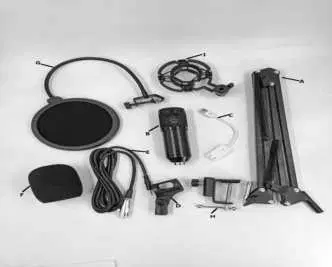
A. Shock-proof standB. Condenser microphone C. USB sound cardD. Microphone holder E. Audio lineF. Sponge ball G. Pop filterH. Base I. Vibration control frame
Page 5 of the Kogan USB Condenser Microphone (KACONMICPHA) user manual — IN THE BOX
5ページ · クリックして拡大
5ページ

This is a Quick Start Guide, and we hope that this has given you the assistance needed for a simple set-up.

For the most up-to-date guide for your product, as well as any additional assistance you may require,

head online to help.kogan.com

Need more information?

Kogan USB Condenser Microphone (KACONMICPHA)について質問する

ユーザーまたはスタッフが通常1日以内に回答します。あなたの質問が次の人の助けにもなります。

Add your email to get notified when it’s answered — no spam, ever.

0 questions
Kogan USB Condenser Microphone (KACONMICPHA)に関する質問はまだありません

最初の質問を投稿しましょう。他のユーザーや当チームが回答します。

原本

Kogan USB Condenser Microphone (KACONMICPHA) 取扱説明書(PDF)

5 ページ·107 KB·マイクロホン·PDF
上のページをクリックするとここに表示されます
ページ 1 / …
100%
ページを読み込み中…