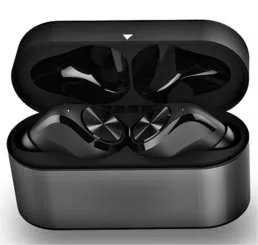


Remove both earbuds from the charging case: they enter pairing mode within approximately 10 seconds with an audio tone and “Pairing” prompt.
Activate Bluetooth on your device, search for devices and select T3. The earbuds will give a “Connected” prompt after successful connection.
Enter 0000 if prompted for a password.
Your earbuds let you know your battery level is low. Every 20 seconds you will hear “Battery Low” when there is 5 minutes of battery level.
Insert the earbuds into the case and connect a charging cable to the case to charge the earbuds. The earbud LEDs will be a solid blue.
When the earbuds are fully charged, the earbud LEDs will off and the charging case LED will be a solid red LED.
Earbud LED Status Indicators

Connect an adapter with 5V output with a type C charge cable.
Case LED Status Indicators
The earbuds will turn off automatically after 5 minutes if there is no connection to another device.
The earbuds will exit pairing mode automatically after 3 minutes if there is no connection to another device.
Charging the Case


Earbud

Speaker · Microphone · Charging Case

This is a Quick Start Guide, and we hope that this has given you the assistance needed for a simple set-up.
For the most up-to-date guide for your product, as well as any additional assistance you may require,
head online to help.kogan.com
Need more information?
ユーザーまたはスタッフが通常1日以内に回答します。あなたの質問が次の人の助けにもなります。
最初の質問を投稿しましょう。他のユーザーや当チームが回答します。