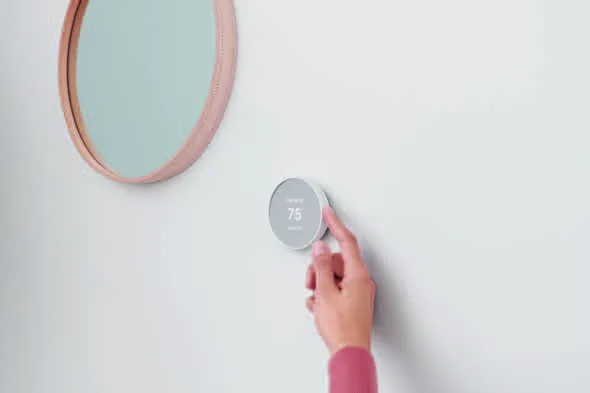


Tap the touch bar to bring up the menu.


Touch bar Swipe up or down to change the temperature. Tap to bring up the menu.
Modes Change modes, like heating and cooling.
Hold Keep a specific temp for a certain amount of time.
Status and alerts Current heating or cooling mode and system alerts.
Target temperature The temperature you want to reach.
Fan Getting stuffy? Use the fan whenever you want.
Current temperature The temperature in your home.
Settings Check your battery and network status.


Every Nest product makes your home even more helpful
Heating and cooling system care. HVAC monitoring looks out for many heating and cooling system issues. If something doesn’t seem right, it can send you an alert.* If you need to replace your air filter, you’ll get a reminder. And you can book a visit with a Nest Pro right from the alert.
Save energy when you’re away. The Nest Thermostat can use sensors and your phone’s location to check if you’ve left the house. Then it can set itself to an Eco temperature to save energy.
Here are some quick tips to help get you started with your Nest Thermostat. To learn more visit g.co/nest/thermostatbasics
Control your thermostat with your voice. The Nest Thermostat works with Hey Google on your phone, or Nest speakers and displays. Just say, “Hey Google, turn up the heat.” The Nest Thermostat also works with Alexa and other smart speakers and displays.
Finds ways to help you save. Savings Finder looks for more ways to save, and suggests tweaks to your schedule. You can accept the suggestions with a tap.
Look for the Nest Leaf. It appears when you change the Nest Thermostat to an energy-saving temperature.
Fine-tune your comfort. When you set up your Nest Thermostat, customizing your schedule is fast and easy. And you can always make adjustments from the Google Home app.
Nest products work even better together. For example, if your Nest Protect senses CO, it can tell your Nest Thermostat to stop the furnace from running.
*These alerts are meant to provide you with helpful information, but Google makes no endorsement, representation, or warranty about the health of eligible HVAC systems. These alerts should not replace a diagnosis by a qualified HVAC professional.

Control from anywhere
You can change the temperature, adjust your schedule, and more from your phone or tablet. Just get the free Google Home app from Google Play or the App Store™.
We take your privacy seriously. Go to g.co/nest/privacy to find out more.
We take your privacy seriously. Go to g.co/nest/privacy to find out more.
ユーザーまたはスタッフが通常1日以内に回答します。あなたの質問が次の人の助けにもなります。
最初の質問を投稿しましょう。他のユーザーや当チームが回答します。