JA
公式取扱説明書

M5stack Technology CP210X Driver

9 ページ·268 KB·ソフトウェア·PDF·ENDEFRITNLJA
M5stack Technology CP210X Driver
目次 27セクション トーグクイックスタート · USBドライバ · インストール済みからアプリストアと識別された開発者 · CP2104driverをダウンロード · … 表示非表示
トーグクイックスタートp.1USBドライバp.1インストール済みからアプリストアと識別された開発者p.1CP2104driverをダウンロードp.1アリーノ・IDEp.2M5スタックボードマネージャーp.21.Open upArduinoIDE,navigatetoファイル -> 周辺機器-> 設定p.22.Copy thefollowingM5StackBoardsManagerurlto追加ボードマネージャ URL:p.3https://m5stack.oss-cn-shenzhen.aliyuncs.com/resource/arduino/package m5スタック index.jsonp.34.Search M5Stack inthepop-upwindow,finditandclickインストールp.45.ツールを選択 -> ボード: → M5Stack-Toughp.4Arduino ライブラリファイルパス C:\Users\UserName\Documents\Arduino\librariesp.5Bluetoothのシリアル機能p.5ArduinoIDEandopentheexampleprogramファイル → 例 -> BluetoothSerial -p.5WiFiスキャン機能p.6FCCの声明:p.9変更または修正は、明示的に責任のある当事者によって承認されていないp.9(1)この装置は有害な干渉を起こさない、p.9(2) この装置は干渉を含む受信したあらゆる干渉を受け入れなければなりませんp.9FCCの放射線曝露声明:p.9この装置はFCCの放射の露出限界にのためのセットを定めると従いますp.9制御されていない環境。この装置は取付けられ、作動しますp.9有害な干渉に対して適度な保護を提供するように設計されているp.9住宅の取付け。 この装置は使用を発生させ、放射状にすることができますp.9電波への有害な干渉を引き起こす可能性があります。 しかし、そのことはないp.9特定のインストールで干渉が起こらないことを保証します。 こんな感じでp.9装置はラジオかテレビ受信に有害な干渉を引き起こします、p.9
Page 1 of the M5stack Technology CP210X Driver user manual — CP2104driverをダウンロード
1ページ · クリックして拡大
1ページ

トーグクイックスタート

USBドライバ

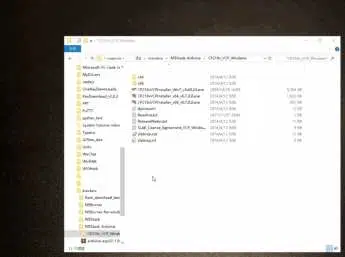
プログラミングの前に、userssPleasedownloadthecorrespondingCP210Xdriverpackageaccordingtothe

オペレーティングシステムyouareusing、clickthebuttonbelow。Afterdecompressingthecompressedpackageのselectthe

インストールパッケージcorrespondingtotheoperatingsystemvalueforinstallation.

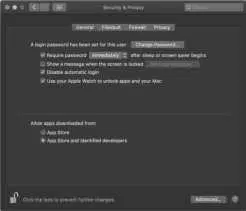
MacOS の場合、makesureSystempreferences->Security&Privacy->Generalbeforeinstalling,andallowtheapp

インストール済みからアプリストアと識別された開発者

M5stack Technology CP210X Driver — MacOS の場合、makesureSystempreferences->Security&Privacy->Generalbeforeinstalling,andallowtheapp diagram (page 1)
図 1 · MacOS の場合、makesureSystempreferences->Security&Privac…

CP2104driverをダウンロード

ウィンドウズ10MacOSのライブラリ ウィンドウズ10MacOSのライブラリ
Page 2 of the M5stack Technology CP210X Driver user manual — 1.Open upArduinoIDE,navigatetoファイル -> 周辺機器-> 設定
2ページ · クリックして拡大
2ページ
M5stack Technology CP210X Driver — アリーノ・IDE diagram (page 2)
図 2

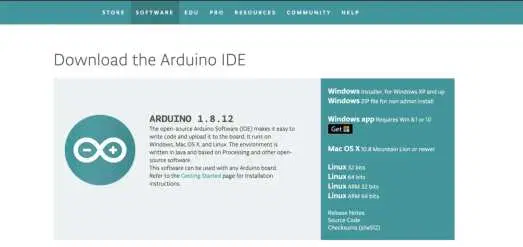
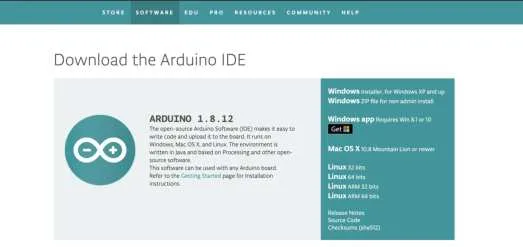
アリーノ・IDE

ここをクリックしてください。tovisitArduinoの公式サイト、インストールパッケージを選択

ダウンロード

M5stack Technology CP210X Driver — ここをクリックしてください。tovisitArduinoの公式サイト、インストールパッケージを選択 diagram (page 2)
図 3 · ここをクリックしてください。tovisitArduinoの公式サイト、インストールパッケージを選択

M5スタックボードマネージャー

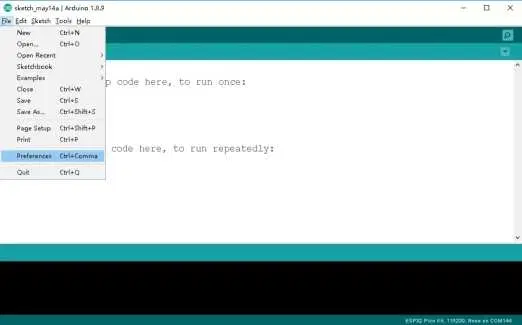
1.Open upArduinoIDE,navigatetoファイル -> 周辺機器-> 設定

Page 3 of the M5stack Technology CP210X Driver user manual — 2.Copy thefollowingM5StackBoardsManagerurlto追加ボードマネージャ URL:
3ページ · クリックして拡大
3ページ
M5stack Technology CP210X Driver — 2.Copy thefollowingM5StackBoardsManagerurlto追加ボードマネージャ URL: diagram (page 3)
図 4 · 2.Copy thefollowingM5StackBoardsManagerurlto追加ボードマネー…

2.Copy thefollowingM5StackBoardsManagerurlto追加ボードマネージャ URL:

https://m5stack.oss-cn-shenzhen.aliyuncs.com/resource/arduino/package m5スタック index.json
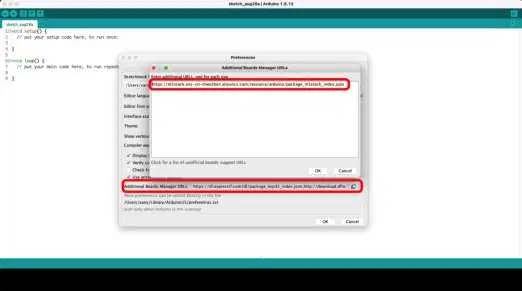
M5stack Technology CP210X Driver — 2.Copy thefollowingM5StackBoardsManagerurlto追加ボードマネージャ URL: diagram (page 3)
図 5 · 2.Copy thefollowingM5StackBoardsManagerurlto追加ボードマネー…

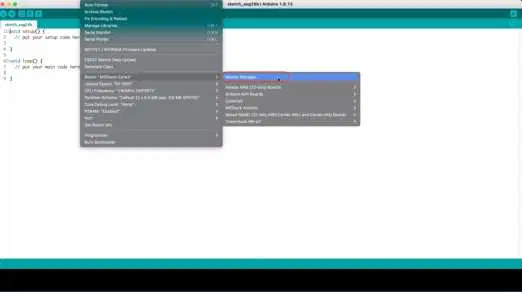
3.Navigatetoツール -> ボード: -&Gt。 板長...
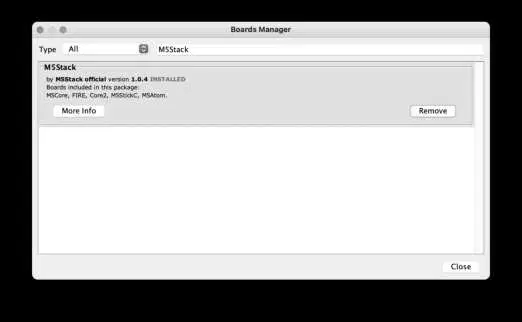
Page 4 of the M5stack Technology CP210X Driver user manual — 5.ツールを選択 -> ボード: → M5Stack-Tough
4ページ · クリックして拡大
4ページ
M5stack Technology CP210X Driver — 4.Search M5Stack inthepop-upwindow,finditandclickインストール diagram (page 4)
図 6 · 4.Search M5Stack inthepop-upwindow,finditandclickインス…

4.Search M5Stack inthepop-upwindow,finditandclickインストール

M5stack Technology CP210X Driver — 4.Search M5Stack inthepop-upwindow,finditandclickインストール diagram (page 4)
図 7 · 4.Search M5Stack inthepop-upwindow,finditandclickインス…

5.ツールを選択 -> ボード: → M5Stack-Tough

6. . Github(https://github.com/m5stack/M5Tough)にアクセスし、ダウンロードしてください。

Page 5 of the M5stack Technology CP210X Driver user manual — Arduino ライブラリファイルパス C:\Users\UserName\Documents\Arduino\libraries
5ページ · クリックして拡大
5ページ

Arduino ライブラリファイルパス C:\Users\UserName\Documents\Arduino\libraries

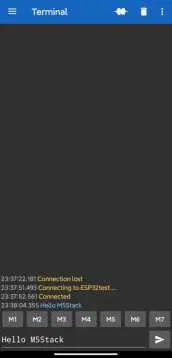
Bluetoothのシリアル機能

ArduinoIDEandopentheexampleprogramファイル → 例 -> BluetoothSerial -

> SerialToSerialBT . Connectthedevicetocomputerandtheselectcorrespondingporttoburn.After

完了、thedevicewillautomaticallyrunBluetoothのandthedeicenameis ESP32test。 時系列,使用

BluetoothserialportsendingtoolonthePCtorealizethetransparenttransmissionofBluetoothserialdata。
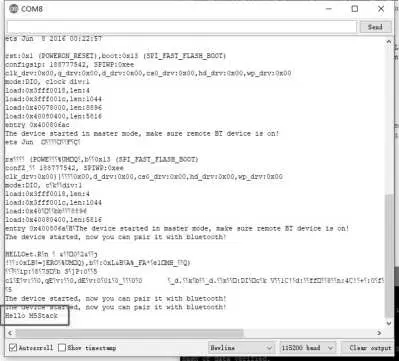
M5stack Technology CP210X Driver — Arduino ライブラリファイルパス C:\Users\UserName\Documents\Arduino\libraries diagram (page 5)
図 8 · Arduino ライブラリファイルパス C:\Users\UserName\Documents\Ardu…

Page 6 of the M5stack Technology CP210X Driver user manual — WiFiスキャン機能
6ページ · クリックして拡大
6ページ
M5stack Technology CP210X Driver — WiFiスキャン機能 diagram (page 6)
図 9 · WiFiスキャン機能

#「BluetoothSerial.h」を付属

#if !defined(CONFIG BT ENABLED) ||【公式】

#error Bluetooth が有効になっていない! 設定メニューを「作成」して有効にしてください

void setup() { (*)}

Serial.begin(115200) ;

SerialBT.begin("ESP32test"); //Bluetoothdevicename

Serial.println(「Thedevicestarted,nowyoucanpairitwithbluetooth!」);;

void loop() { // エラー

たとえば、(Serial.available) {

SerialBT.write(Serial.read()); ;

場合 (SerialBT.available()) {

Serial.write(SerialBT.read()); ;

遅延(20);

WiFiスキャン機能

このページでは6つのラベル/ショートテキストを表示
フォロー · Bluetoothシリアル BT; · } · } · } · }
Page 7 of the M5stack Technology CP210X Driver user manual — ArduinoIDEandopentheexampleprogramファイル → 例 -> WiFi->WiFiScan を開きます。 ネクスト
7ページ · クリックして拡大
7ページ

ArduinoIDEandopentheexampleprogramファイル → 例 -> WiFi->WiFiScan を開きます。 ネクスト

devicetothecomputerandselectthecorrespondingporttoburn.Aftercompletion、thedevicewillautomatically

RuntheWiFiscan,および現在のWi-FiscanresultcanbeobtainedthroughTheserialportmonitorthatcomeswith

アナウンス
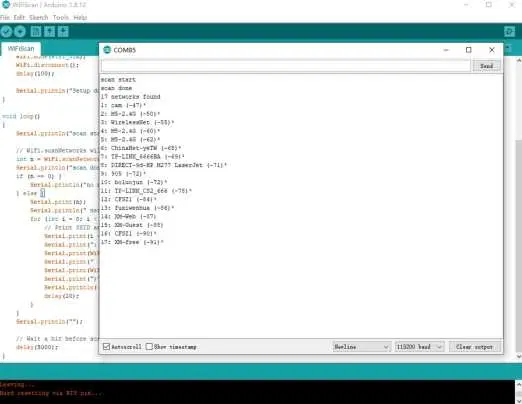
M5stack Technology CP210X Driver — ArduinoIDEandopentheexampleprogramファイル → 例 -> WiFi->WiFiScan を開きます。 ネクスト diagram (page 7)
図 10 · ArduinoIDEandopentheexampleprogramファイル → 例 -> WiFi->…

#「WiFi.h」を含んだ

Serial.begin(115200) ;

WiFi.mode(WIFI STA)

WiFi.disconnect() の接続

遅延(100);

Serial.println(「Setupdone」) );

Serial.println("scanstart") );

このページでは6つのラベル/ショートテキストを表示
void setup() · { · //SetWiFitostationmodeanddisconnectfromanAPifitwaspreviously接続 · } · void loop() · {
Page 8 of the M5stack Technology CP210X Driver user manual — WiFiスキャン機能
8ページ · クリックして拡大
8ページ

//WiFi.scanNetworkswillreturnthenumberofnetworksfound のネットワークスレート

int n = WiFi.scanNetworks() ;

Serial.println("scandone");

if (n == 0) {

Serial.println(「nonetworksfound」) );

Serial.print(n) の

Serial.println(「networksfound」) );

は、(int i = 0; i < n;++i) {

シリアル.print(i + 1);

シリアル プリント(「印刷」)" );

Serial.print(WiFi.SSID);

Serial.print("(")); ;

Serial.print(WiFi.RSSI)); ;

Serial.print("));

Serial.println(無線LAN暗号化タイプ) == WIFI AUTH OPEN? :*");

遅延(10);

Serial.println(")); ;

遅延(5000);

このページでは6つのラベル/ショートテキストを表示
詳しくはこちら · //PrintSSIDandRSSIforeachnetworkfound の使い方 · } · } · // ワイタビットベフォレスキャニングアgain · }
Page 9 of the M5stack Technology CP210X Driver user manual — 電波への有害な干渉を引き起こす可能性があります。 しかし、そのことはない
9ページ · クリックして拡大
9ページ

FCCの声明:

変更または修正は、明示的に責任のある当事者によって承認されていない

コンプライアンスは、機器を操作するためにユーザーの権限を無効にすることができます。

このデバイスは、FCC規則の15の一部に準拠しています。 運営は、以下のとおりです。

(1)この装置は有害な干渉を起こさない、

(2) この装置は干渉を含む受信したあらゆる干渉を受け入れなければなりません

望ましくない操作を引き起こす可能性があります。

FCCの放射線曝露声明:

この装置はFCCの放射の露出限界にのためのセットを定めると従います

制御されていない環境。この装置は取付けられ、作動します

最小距離 20cmのラジエーターと身体の間。

FCC規則の15部を追及したBデジタルデバイス。 これらの制限は

有害な干渉に対して適度な保護を提供するように設計されている

住宅の取付け。 この装置は使用を発生させ、放射状にすることができます

頻度エネルギーおよび、指示に従って取付けられ、使用されていなければ

電波への有害な干渉を引き起こす可能性があります。 しかし、そのことはない

特定のインストールで干渉が起こらないことを保証します。 こんな感じで

装置はラジオかテレビ受信に有害な干渉を引き起こします、

装置をオフにすることで、ユーザーが決定できる

以下のいずれかの措置で干渉を修正してみてください。

—受取アンテナを回復するか、または再配置して下さい。

—機器と受信機の分離を増加させる。

—機器を回路の出口に、そのものと異なる接続します。

受信機は接続されます。

—ディーラーや経験豊富なラジオ/テレビ技術者が助けを借りて対応

M5stack Technology CP210X Driverについて質問する

ユーザーまたはスタッフが通常1日以内に回答します。あなたの質問が次の人の助けにもなります。

Add your email to get notified when it’s answered — no spam, ever.

0 questions
M5stack Technology CP210X Driverに関する質問はまだありません

最初の質問を投稿しましょう。他のユーザーや当チームが回答します。

原本

M5stack Technology CP210X Driver 取扱説明書(PDF)

9 ページ·268 KB·ソフトウェア·PDF
上のページをクリックするとここに表示されます
ページ 1 / …
100%
ページを読み込み中…