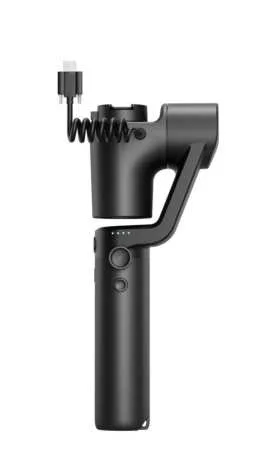




The S1 Handheld Stabilizer’s gyroscopes provide high-precision stabilization for handheld scanning, helping to avoid loss of tracking and providing a smoother scan. The motorized axes allow you to smoothly pan or tilt the scanner as you move around the object.


① Bluetooth LED: The LED light flashes blue continuously while waiting for a connection. Once connected successfully, the LED turns solid blue. ② Joystick: Adjusts the tilt and pan. ③ 1/4 Threaded Hole: To mount the phone holder bracket. ④ ON/OFF Switch: Long-press to power on/off the Handheld Stabilizer. Press twice to change between Follow/Lock Mode. ⑤ Battery Level LED: Shows the remaining battery level. The LED light flashes continuously when charging and turns solid white when fully charged. ⑥ Start/Pause Button: Press to start or pause the scan. Press twice to recenter the Handheld Stabilizer. *Follow Mode: The stabilizer follows the object automatically. *Lock Mode: The stabilizer locks itself in a fixed position.


For freedom of movement, connecting the MINI via Wi-Fi is recommended when using the Handheld Stabilizer. Using the Handheld Stabilizer with a PC via Wi-Fi
Open your PC's Bluetooth settings and look for a device named “REVO_STABILIZER”, then click Connect to add the Handheld Stabilizer.


A. Insert and screw the bracket into the Handheld Stabilizer’s 1/4 threaded hole. B. Attach the Phone Holder to the bracket C. Insert your phone into the clamp.
ユーザーまたはスタッフが通常1日以内に回答します。あなたの質問が次の人の助けにもなります。
最初の質問を投稿しましょう。他のユーザーや当チームが回答します。