
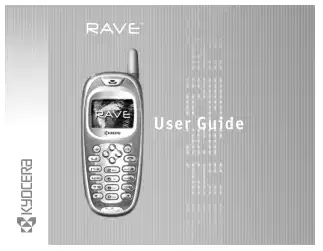


User Guide for Raveqj Phones This manual is based on the production version of the Kyocera KE433, KE433C, KE434, and KE434C phones. Software changes may have occurred after this printing. Kyocera reserves the right to make changes in technical and product specifications without prior notice. The products and equipment described in this documentation are manufactured under license from QUALCOMM Incorporated under one or more of the following U.S. patents:
5,737,708 5,742,734 D393,856 5,748,104 5,751,725 5,751,761 5,751,901 5,754,533 5,754,542 5,754,733 5,757,767 5,757,858 5,758,266 5,761,204 5,764,687 5,774,496 5,777,990 5,778,024 5,778,338 5,781,543 5,781,856 5,781,867 5,784,406 5,784,532 5,790,589 5,790,632 5,793,338 D397,110 5,799,005 5,799,254 5,802,105 5,805,648 5,805,843 5,812,036 5,812,094 5,812,097 5,812,538 5,812,607 5,812,651 5,812,938 5,818,871 5,822,318 5,825,253 5,828,348 5,828,661 5,835,065 5,835,847 5,839,052 5,841,806 5,842,124 5,844,784 5,844,885 5,844,899 5,844,985 5,848,063 5,848,099 5,850,612 5,852,421 5,854,565 5,854,786 5,857,147 5,859,612 5,859,838 5,859,840 5,861,844 5,862,471 5,862,474 5,864,760 5,864,763 5,867,527 5,867,763 5,870,427 5,870,431 5,870,674 5,872,481 5,872,774 5,872,775 5,872,823 5,877,942 5,878,036 5,870,631 5,881,053 5,881,368 5,884,157 5,884,193 5,884,196 5,892,178 5,892,758 5,892,774 5,892,816 5,892,916 5,893,035 D407,701 5,898,920 5,903,554 5,903,862 D409,561 5,907,167 5,909,434 5,910,752 5,911,128 5,912,882 D410,893 5,914,950 5,915,235 5,917,708 5,917,811 5,917,812 5,917,837 5,920,284 D411,823 5,923,650 5,923,705 5,926,143 5,926,470 5,926,500 5,926,786 5,930,230 5,930,692 Other patents pending. Kyocera is a registered trademark of Kyocera Corporation. Brick Attack, Doodler, Mask, and Rave are trademarks of Kyocera Wireless Corp. BREW is a trademark and QUALCOMM is a registered trademark of QUALCOMM Incorporated. Tetris is a registered trademark of Elorg Company LLC. Openwave is a trademark of Openwave Systems Incorporated. eZiText is a registered trademark of Zi Corporation. Get It NOW is a trademark of Verizon Wireless. All other trademarks are the property of their respective owners. Copyright © 2003 Kyocera Wireless Corp. All rights reserved. Ringer Tones Copyright © 2000-2002 Kyocera Wireless Corp.
4,901,307 5,056,109 5,099,204 5,101,501 5,103,459 5,107,225 5,109,390 5,193,094 5,228,054 5,257,283 5,265,119 5,267,261 5,267,262 5,280,472 5,283,536 5,289,527 5,307,405 5,309,474 5,337,338 5,339,046 5,341,456 5,383,219 5,392,287 5,396,516 D356,560 5,408,697 5,414,728 5,414,796 5,416,797 5,426,392 5,437,055 D361,065 5,442,322 5,442,627 5,452,473 5,461,639 5,469,115 5,469,471 5,471,497 5,475,870 5,479,475 5,483,696 5,485,486 5,487,175 5,490,165 5,497,395 5,499,280 5,504,773 5,506,865 5,509,015 5,509,035 5,511,067 5,511,073 5,513,176 5,515,177 5,517,323 5,519,761 5,528,593 5,530,928 5,533,011 5,535,239 5,539,531 5,544,196 5,544,223 5,546,459 5,548,812 5,559,881 5,559,865 5,561,618 5,564,083 5,566,000 5,566,206 5,566,357 5,568,483 5,574,773 5,574,987 D375,740 5,576,662 5,577,022 5,577,265 D375,937 5,588,043 D376,804 5,589,756 5,590,069 5,590,406 5,590,408 5,592,548 5,594,718 5,596,570 5,600,754 5,602,834 5,602,833 5,603,096 5,604,459 5,604,730 5,608,722 5,614,806 5,617,060 5,621,752 5,621,784 5,621,853 5,625,876 5,627,857 5,629,955 5,629,975 5,638,412 5,640,414 5,642,398 5,644,591 5,644,596 5,646,991 5,652,814 5,654,979 5,655,220 5,657,420 5,659,569 5,663,807 5,666,122 5,673,259 5,675,581 5,675,644 5,680,395 5,687,229 D386,186 5,689,557 5,691,974 5,692,006 5,696,468 5,697,055 5,703,902 5,704,001 5,708,448 5,710,521 5,710,758 5,710,768 5,710,784 5,715,236 5,715,526 5,722,044 5,722,053 5,722,061 5,722,063 5,724,385 5,727,123 5,729,540 5,732,134 5,732,341 5,734,716 5,737,687
82-K5475-1EN, Rev 002

FCC/IC Notice This device complies with part 15 of the FCC rules. Operation is subject to the following two conditions: (1) This device may not cause harmful interference, and (2) this device must accept any interference received, including interference that may cause undesired operation. To maintain compliance with FCC RF exposure guidelines, if you wear a handset on your body, use the Kyocera Wireless Corp. (KWC) supplied and approved case CA90-B1799-01 and universal belt clip 55-B1795-01. Other accessories used with this device for body-worn operations must not contain any metallic components and must provide at least 22.5 mm separation distance including the antenna and the user’s body. THIS MODEL PHONE MEETS THE GOVERNMENT’S REQUIREMENTS FOR EXPOSURE TO RADIO WAVES. Your wireless phone is a radio transmitter and receiver. It is designed and manufactured not to exceed the emission limits for exposure to radio frequency (RF) energy set by the Federal Communications Commission of the U.S. Government. These limits are part of comprehensive guidelines and establish permitted levels of RF energy for the general population. The guidelines are based on standards that were developed by independent scientific organizations through periodic and thorough evaluation of scientific studies. The standards include a substantial safety margin designed to assure the safety of all persons, regardless of age and health. The exposure standard for wireless mobile phones employs a unit of measurement known as the Specific Absorption Rate, or SAR. The SAR limit set by the FCC is
1.6 W/kg.* Tests for SAR are conducted using standard operating positions specified by the FCC with the phone transmitting at its highest certified power level in all tested frequency bands. Although the SAR is determined at the highest certified power level, the actual SAR level of the phone while operating can be well below the maximum value. This is because the phone is designed to operate at multiple power levels so as to use only the power required to reach the network. In general, the closer you are to a wireless base station antenna, the lower the power output. Before a phone model is available for sale to the public, it must be tested and certified to the FCC that it does not exceed the limit established by the government-adopted requirement for safe exposure. The tests are performed in positions and locations (e.g., at the ear and worn on the body) as required by the FCC for each model. The highest SAR values for these model phones are: FCC ID: OVFKWC-KE433 (Phone model: KE433) PCS mode - Head: 1.30 mW/g; Body-worn: 0.584 mW/g. (Body-worn measurements differ among phone models, depending upon availability of accessories and FCC requirements. The body-worn SAR values provided above were obtained by using Kyocera Wireless Corp. [KWC] supplied and approved case CA90-B1799-01 and universal belt clip 55-B1795-01). While there may be differences between the SAR levels of various phones and at various positions, they all meet the government requirement for safe exposure. The FCC has granted an Equipment Authorization for this model phone with all reported SAR levels evaluated as in compliance with the FCC RF emission guidelines. SAR information on this model phone is on file with the FCC

and can be found under the Display Grant section http://www.fcc.gov/oet/fccid after searching on the FCC ID:
Additional information on SAR can be found on the Cellular Telecommunications and Internet Association (CTIA) web-site at http://www.wow-com.com * In the United States and Canada, the SAR limit for mobile phones used by the public is 1.6 watts/kg (W/kg) averaged over one gram of tissue. The standard incorporates a substantial margin of safety to give additional protection for the public and to account for any variations in measurements.
Optimize your phone’s performance Use the guidelines on page 2 to learn how to optimize the performance and life of your phone and battery.
Air bags If your vehicle has an air bag, DO NOT place installed or portable phone equipment or other objects over the air bag or in the air bag deployment area. If equipment is not properly installed, you and your passengers risk serious injury.
Potentially unsafe areas Posted facilities—Turn your phone off in any facility when posted notices require you to do so. Aircraft—FCC regulations prohibit using your phone on a plane that is in the air. Turn your phone off or switch it to Airplane Mode (page 8) before boarding aircraft. Vehicles—RF signals may affect improperly installed or inadequately shielded electronic systems in motor
Medical devices Pacemakers—Warning to pacemaker wearers: Wireless phones, when in the ‘on’ position, have been shown to interfere with pacemakers. The phone should be kept at least six (6) inches away from the pacemaker to reduce risk.

Resetting the phone If the screen seems frozen and the keypad does not respond to keypresses, reset the phone by completing the following steps: 1. Remove the battery door. 2. Remove and replace the battery. If the problem persists, return the phone to the dealer for service.
Accessories Use only Kyocera Wireless Corp. approved accessories with Kyocera Wireless Corp. phones. Use of any unauthorized accessories may be dangerous and will invalidate the phone warranty if said accessories cause damage or a defect to the phone. To shop online for a Hands-free Car Kit and other phone accessories, visit www.kyocera-wireless.com/store To order by phone, call (800) 349-4188 (U.S.A. only) or (858) 882-1410.
Radio Frequency (RF) energy Your telephone is a radio transmitter and receiver. When it is on, it receives and sends out RF energy. Your service provider’s network controls the power of the RF signal. This power level can range from 0.006 to 0.6 watts. In August 1996, the U.S. Federal Communications Commission (FCC) adopted RF exposure guidelines with safety levels for hand-held wireless phones. These guidelines are consistent with the safety standards previously set by both U.S. and international standards bodies in the following reports: • ANSI C95.1 (American National Standards Institute, 1992)
Use with care Use only in normal position (to ear). Avoid dropping, hitting, bending, or sitting on the phone.
Keep phone dry If the phone gets wet, turn the power off immediately and contact your dealer. Water damage may not be covered under warranty.

Your phone complies with the standards set by these reports and the FCC guidelines.
E911 Mandates Where service is available, this handset complies with the Phase I and Phase II E911 Mandates issued by the FCC.
Battery and charger specifications
Qualified service If the problem with your phone persists, return the phone with all accessories and packaging to the dealer for qualified service.
Become a product evaluator To participate in the testing and evaluation of Kyocera Wireless Corp. products, including cellular or PCS phones, visit beta.kyocera-wireless.com.
Kyocera Wireless Corp. 10300 Campus Point Drive, San Diego, CA 92121 U.S.A. Visit us at www.kyocera-wireless.com
To purchase accessories, visit
www.kyocera-wireless.com/store
093 453 037

1 Getting Started 1 `Ü~êÖáåÖ=íÜÉ=Ä~ííÉêóK=K=K=K=K=K=K=K=K=K=K=K=K=K=K=K=K=K=K=K=K=K=K=K=K=K=N oÉéä~ÅáåÖ=íÜÉ=Ñ~ÅÉéä~íÉ =K=K=K=K=K=K=K=K=K=K=K=K=K=K=K=K=K=K=K=K=K=K=K=O rëáåÖ=ãÉåìë =K=K=K=K=K=K=K=K=K=K=K=K=K=K=K=K=K=K=K=K=K=K=K=K=K=K=K=K=K=K=K=R 2 Making and Answering Calls 7 j~âáåÖ=~=Å~ää K=K=K=K=K=K=K=K=K=K=K=K=K=K=K=K=K=K=K=K=K=K=K=K=K=K=K=K=K=K=K=T páäÉåÅáåÖ=~å=áåÅçãáåÖ=Å~ää K=K=K=K=K=K=K=K=K=K=K=K=K=K=K=K=K=K=K=K=K=U `~ääáåÖ=ÉãÉêÖÉåÅó=ëÉêîáÅÉëK=K=K=K=K=K=K=K=K=K=K=K=K=K=K=K=K=K=K=K=K=U péÉÉÇ=Çá~äáåÖ K=K=K=K=K=K=K=K=K=K=K=K=K=K=K=K=K=K=K=K=K=K=K=K=K=K=K=K=K=K=NM pÉííáåÖ=ìé=îçáÅÉã~áäK=K=K=K=K=K=K=K=K=K=K=K=K=K=K=K=K=K=K=K=K=K=K=K=K=NN içÅâáåÖ=íÜÉ=âÉóé~Ç=K=K=K=K=K=K=K=K=K=K=K=K=K=K=K=K=K=K=K=K=K=K=K=K=K=NO råÇÉêëí~åÇáåÖ=êç~ãáåÖ=K=K=K=K=K=K=K=K=K=K=K=K=K=K=K=K=K=K=K=K=K=K=NP 3 Entering Letters, Numbers, and Symbols . . 15 4 Storing Contacts 18 p~îáåÖ=~=Åçåí~Åí=ÉåíêóK=K=K=K=K=K=K=K=K=K=K=K=K=K=K=K=K=K=K=K=K=K=K=K=NU bÇáíáåÖ=çê=Éê~ëáåÖ=~=Åçåí~Åí=K=K=K=K=K=K=K=K=K=K=K=K=K=K=K=K=K=K=K=NV cáåÇáåÖ=Åçåí~Åí=áåÑçêã~íáçå K=K=K=K=K=K=K=K=K=K=K=K=K=K=K=K=K=K=K=ON 5 Sending and Receiving Text Messages 23 pÉåÇáåÖ=íÉñí=ãÉëë~ÖÉë=K=K=K=K=K=K=K=K=K=K=K=K=K=K=K=K=K=K=K=K=K=K=K=OP oÉíêáÉîáåÖ=íÉñí=ãÉëë~ÖÉëK=K=K=K=K=K=K=K=K=K=K=K=K=K=K=K=K=K=K=K=K=K=OT `ìëíçãáòáåÖ=ãÉëë~ÖÉ=ëÉííáåÖëK=K=K=K=K=K=K=K=K=K=K=K=K=K=K=K=K=K=PM 6 Customizing Your Phone 32 páäÉåÅáåÖ=~ää=ëçìåÇë K=K=K=K=K=K=K=K=K=K=K=K=K=K=K=K=K=K=K=K=K=K=K=K=K=PP `ÜççëáåÖ=~=ÇáÑÑÉêÉåí=êáåÖÉêK=K=K=K=K=K=K=K=K=K=K=K=K=K=K=K=K=K=K=K=PP ^ÇàìëíáåÖ=îçäìãÉ=K=K=K=K=K=K=K=K=K=K=K=K=K=K=K=K=K=K=K=K=K=K=K=K=K=K=K=PQ rëáåÖ=ëÜçêíÅìíë =K=K=K=K=K=K=K=K=K=K=K=K=K=K=K=K=K=K=K=K=K=K=K=K=K=K=K=K=PQ mÉêëçå~äáòáåÖ=íÜÉ=ëÅêÉÉå =K=K=K=K=K=K=K=K=K=K=K=K=K=K=K=K=K=K=K=K=K=PR
`êÉ~íáåÖ=~=ëÉÅìêÉ=ÉåîáêçåãÉåí K=K=K=K=K=K=K=K=K=K=K=K=K=K=K=K=KPU pÉííáåÖ=ãÉëë~ÖÉ=~äÉêíëK=K=K=K=K=K=K=K=K=K=K=K=K=K=K=K=K=K=K=K=K=K=K=KPV kÉíïçêâ=ëÉííáåÖëK=K=K=K=K=K=K=K=K=K=K=K=K=K=K=K=K=K=K=K=K=K=K=K=K=K=K=KQM a~í~=ëÉííáåÖëK=K=K=K=K=K=K=K=K=K=K=K=K=K=K=K=K=K=K=K=K=K=K=K=K=K=K=K=K=K=KQM pÉííáåÖ=éçëáíáçå=äçÅ~íáçå K=K=K=K=K=K=K=K=K=K=K=K=K=K=K=K=K=K=K=K=K=KQN 7 Using Voice Recognition 42 pÉííáåÖ=ìé=îçáÅÉ=Çá~äáåÖK=K=K=K=K=K=K=K=K=K=K=K=K=K=K=K=K=K=K=K=K=K=KQO `~ääáåÖ=ìëáåÖ=îçáÅÉ=í~ÖëK=K=K=K=K=K=K=K=K=K=K=K=K=K=K=K=K=K=K=K=K=K=KQO rëáåÖ=îçáÅÉ=ÑÉ~íìêÉë=ïáíÜ=~ÅÅÉëëçêáÉë=K=K=K=K=K=K=K=K=K=K=K=KQP qê~áåáåÖ=îçáÅÉ=êÉÅçÖåáíáçå=K=K=K=K=K=K=K=K=K=K=K=K=K=K=K=K=K=K=K=KQQ 8 Using Tools 45 pÅÜÉÇìäÉêK=K=K=K=K=K=K=K=K=K=K=K=K=K=K=K=K=K=K=K=K=K=K=K=K=K=K=K=K=K=K=K=KQR ^ä~êã=`äçÅâ=K=K=K=K=K=K=K=K=K=K=K=K=K=K=K=K=K=K=K=K=K=K=K=K=K=K=K=K=K=K=KQR qáé=`~äÅìä~íçêK=K=K=K=K=K=K=K=K=K=K=K=K=K=K=K=K=K=K=K=K=K=K=K=K=K=K=K=K=KQS `~äÅìä~íçêK=K=K=K=K=K=K=K=K=K=K=K=K=K=K=K=K=K=K=K=K=K=K=K=K=K=K=K=K=K=K=K=KQS qáãÉê K=K=K=K=K=K=K=K=K=K=K=K=K=K=K=K=K=K=K=K=K=K=K=K=K=K=K=K=K=K=K=K=K=K=K=KQT píçéï~íÅÜK=K=K=K=K=K=K=K=K=K=K=K=K=K=K=K=K=K=K=K=K=K=K=K=K=K=K=K=K=K=K=K=KQT cä~ëÜäáÖÜí=K=K=K=K=K=K=K=K=K=K=K=K=K=K=K=K=K=K=K=K=K=K=K=K=K=K=K=K=K=K=K=K=KQT 9 Fun & Games / Media Gallery 48 10 Connecting to the Internet 52 rëáåÖ=íÜÉ=tÉÄ=_êçïëÉêK=K=K=K=K=K=K=K=K=K=K=K=K=K=K=K=K=K=K=K=K=K=KRO Index 54
User Guide for Rave Phones vii


この取扱説明書で参照されているリンク(メーカー、サポート、ダウンロード等)。
ユーザーまたはスタッフが通常1日以内に回答します。あなたの質問が次の人の助けにもなります。
最初の質問を投稿しましょう。他のユーザーや当チームが回答します。

