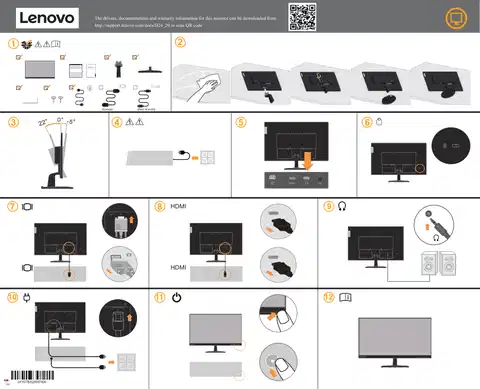

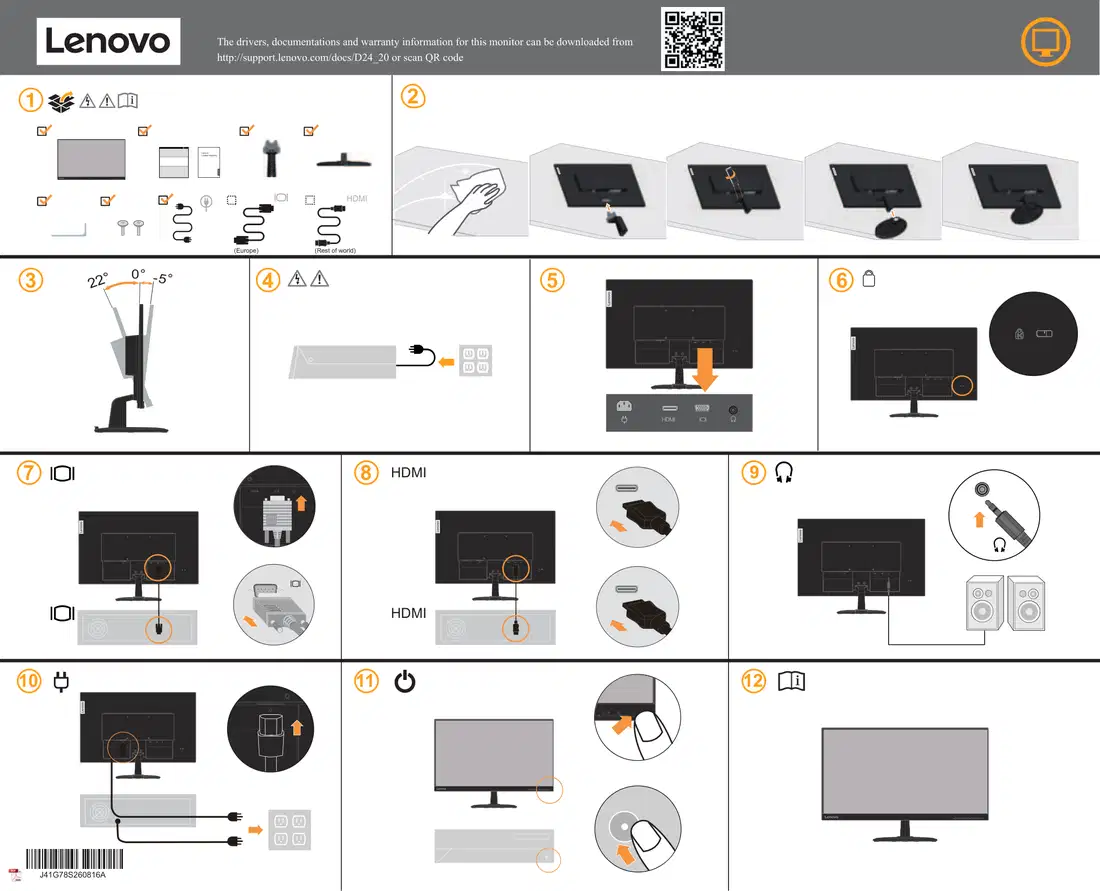
このモニターのドライバ、ドキュメントおよび保証情報をダウンロードできます。 http://support.lenovo.com/docs/D24 20 QRコードをスキャンする

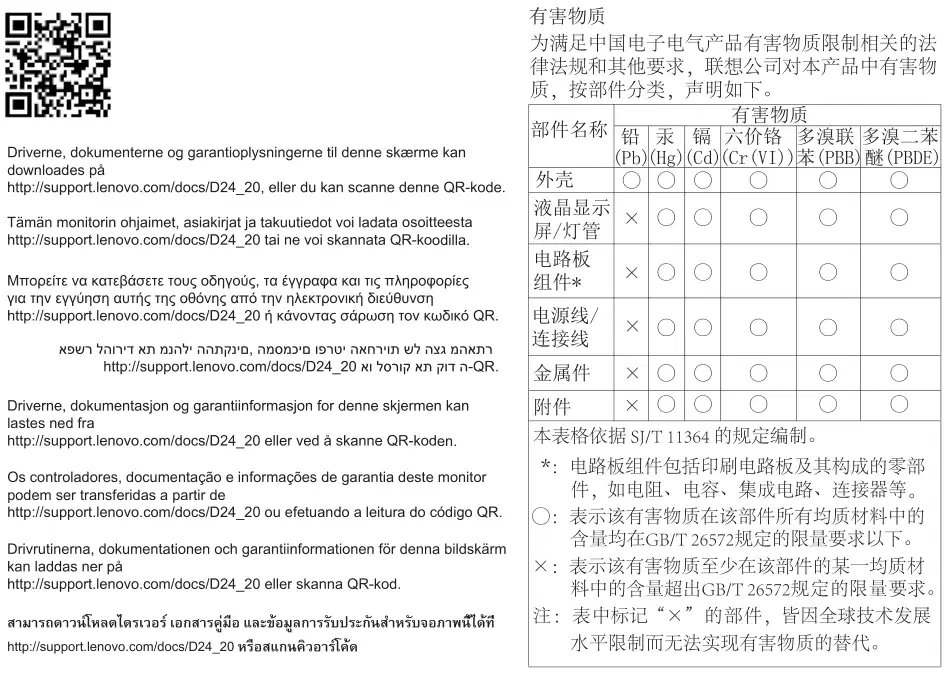

文和保修信息地址 http://support.lenovo.com/docs/D24 20, 也 也
このモニターのドライバ、ドキュメントおよび保証情報をダウンロードできます。 http://support.lenovo.com/docs/D24 20 QRコードをスキャンするか
從 http://support.lenovo.com/docs/D24 20 或 或로시아사이지점 特許業務法人 日本化学会
http://support.lenovo.com/docs/D24 20
情報として、非公式は制御愛人をします, ダスドキュメンタリー電子garantiaのパラesteモニターpodeザーデカルガド·デ http://support.lenovo.com/docs/D24 20 ou デジタルサイザーo código QR.
http://support.lenovo.com/docs/D24 20
/ ( ), http://support.lenovo.com/docs/D24 20 QR
Os の制御装置, documentação e informaçes degarantia deste Monitor podem ser transferidas a partir de http://support.lenovo.com/docs/D24 20 ou efetuando aleitura do código QR.
パラエスプレッソモニター se pueden descargar デデド http://support.lenovo.com/docs/D24 20 o エスカニーエルコルコディゴQR.
プレゼティ http://support.lenovo.com/docs/D24 20
stenのindirilebilir: http://support.lenovo.com/docs/D24 20 QRコードをスキャンするか
投資主、保険会社 http://support.lenovo.com/docs/D24 20 まずは、QRコードを読んでください。
パイロット、ドキュメントのet情報sur la garantie de ce モニテールペーヴン・エトレ・テレチャーゼ http://support.lenovo.com/docs/D24 20 OU en nérisantle code QR. 株式会社エヌメリスタント
이 이, 이 http://support.lenovo.com/docs/D24 20 다 다다. 다로다 아사이지점 한국어(アット・ザ・タ)
http://support.lenovo.com/docs/D24 20 oderのdurch Scannen des QRコードsheruntergeladen。
t.
このデバイスはFCC規則のパート15に準拠しています。 操作は、次の2つの条件に従うものとします。 (1)この装置が有害な干渉を起こさない可能性があるため、2つは受信した干渉を受け入れる必要があります。
私は、le documentazioni e le informazioni sulla garanzia di questoモニター sono scaricabili all'indiri http://support.lenovo.com/docs/D24 20 o facendo la scansione del codice QR.
アンチ・ヴォール・デゼモニターのダウンロードバン http://support.lenovo.com/docs/D24 20 QRコードスキャンデンの
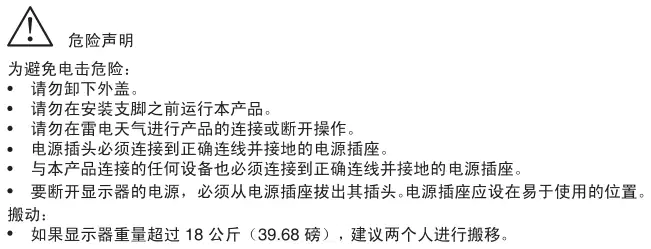
カバーを取除かないで下さい。 スタンドが取り付けられている場合を除き、この製品を作動させないでください。 電動ストーム中にこの製品を接続または切断しないでください。 電源コードプラグは、適切に配線され、地上のコンセントに接続する必要があります。 この製品が付随する機器も接続する必要があります
適切に配線され、電源コンセントを接地します。 電源からモニターを隔離するには、コンセントのプラグを外す必要があります。 電源コンセントは簡単に! アクセス可能。
取扱分野: モニターが18kg以上(39.68lb)の重さを重ねると、2人で移動したり、持ち上げたりすることが推奨されます。
ユーザーまたはスタッフが通常1日以内に回答します。あなたの質問が次の人の助けにもなります。
最初の質問を投稿しましょう。他のユーザーや当チームが回答します。