Quick Start Guide

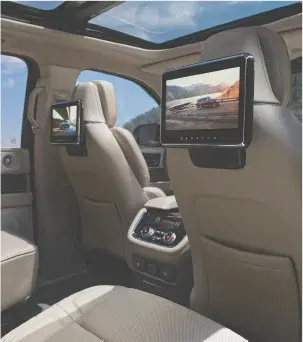
For Evolve Rear Seat Entertainment (RSE) and Mobile Application customer support please contact 1-866-869-7888 or email cs@voxxintl.com For regions outside of the United States and Canada, see your local Lincoln servicing dealer.

Turn vehicle’s ignition key to the ‘run’ position, the Evolve RSE system will automatically turn on.
Upon initial power-up of your EVOLVE Rear Seat Entertainment (RSE) system, the following steps will be required before use (per monitor). The Amazon FireTV system will walk you through this process step by step.
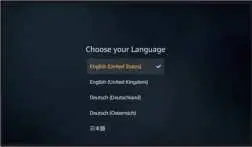
2) Pair a Remote Control
3) Connect to a Wi-Fi network
4) Amazon Account Sign-in (or creation)
5) Parental Controls (if desired)
6) Preferred Apps (if desired)
STEP #3 – ACCESS APPS
Many Apps are preloaded with free content but downloading your favorites can be done now or at any time. STEP #4 – CONNECT AUDIO
To listen to the audio from your streaming content, select one of the following options:

You may now access all the free content provided, or access any Apps/accounts you already own (i.e. Prime, Hulu, etc.) and watch your favorite content. Simply navigate to the App, select your preferred program, and click the appropriate key to stream.
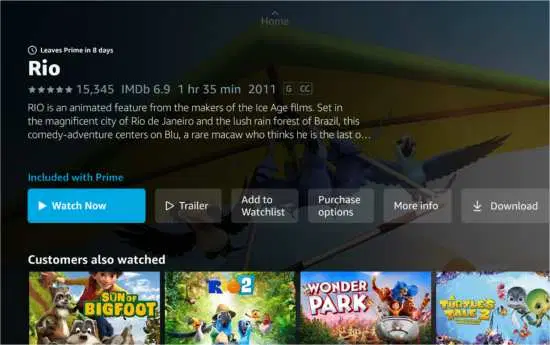

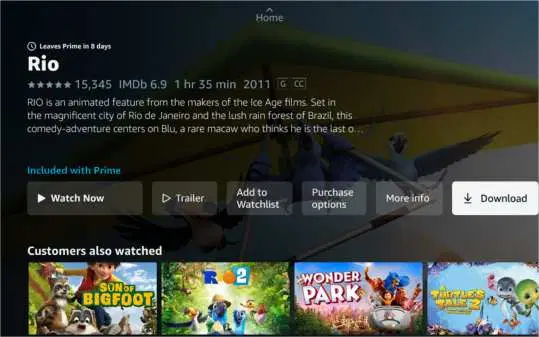
You may also download content to watch at a later time when a Wi-Fi signal is not available. Simply navigate to the App, select your preferred program, and click the appropriate key to download it.




©2021 Voxx International Corporation.
The company, product and service names used in this quick start guide are for identification purposes only. All trademarks and registered trademarks are the property of their respective owners are not affiliated with or sponsored by Voxx International Corporation or its affiliates.
The term HDMI® and the HDMI logo are trademarks or registered trademarks of HDMI Licensing LLC in the United States and other countries.
Amazon Fire is a registered trademark of Amazon Technologies, Inc.
この取扱説明書で参照されているリンク(メーカー、サポート、ダウンロード等)。
ユーザーまたはスタッフが通常1日以内に回答します。あなたの質問が次の人の助けにもなります。
最初の質問を投稿しましょう。他のユーザーや当チームが回答します。