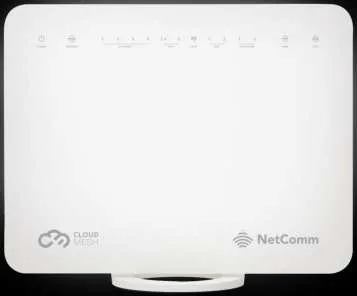

Restore Factory Default
Settings Guide
NF18MESH

Doc No. FA01255

Copyright© 2020 Casa Systems, Inc. All rights reserved.
The information contained herein is proprietary to Casa Systems, Inc. No part of this document may be translated, transcribed, reproduced, in any form, or by any means without prior written consent of Casa Systems, Inc.
Trademarks and registered trademarks are the property of Casa Systems, Inc or their respective subsidiaries. Specifications are subject to change without notice. Images shown may vary slightly from the actual product.
Previous versions of this document may have been issued by NetComm Wireless Limited. NetComm Wireless Limited was acquired by Casa Systems Inc on 1 July 2019.
This document relates to the following product:
Ver. Document description Date
v1.0 First document release 23 June 2020
Table i. – Document revision history

A factory reset on the NF18MESH returns all settings to the default settings as they were when shipped from the factory.
There are two methods that can be used to perform a successful factory reset:
Use the NF18MESH's graphical user interface (GUI) to complete a factory reset.
Manually perform a factory reset using the reset pinhole at the back of the NF18MESH.
This guide will explain both methods to complete a successful factory reset.
Log in to the Web Interface
1 Open a web browser (such as Internet Explorer, Google Chrome or Firefox), type following address into the address bar and press enter.
http://cloudmesh.net or http://192.168.20.1
Enter the following credentials:
then click the Login button.
own password if it is changed.


1 Click on the Advanced menu on the left-hand side of the screen, then click on the Configurations option in the System group.


Tools – Navigate to Advanced Configurations
2 To reset the NF18MESH to its factory settings, select the Factory Reset radio button and click the Restore Default Settings button.


3 A pop-up dialog box will prompt: “Are you sure you want to restore factory default settings?”


Reset command confirmation dialog
4 Click OK to confirm the reset.
5 The NF18MESH will reboot.
6 After the NF18MESH has rebooted you will need to log in to the NF18MESH using the default credentials printed on the sticker and re-enter your broadband connection settings such as your ADSL/VDSL User ID and Password, etc. Please use the Quick Start Guide to set up your router.
Restore Default Settings

1 Ensure the NF18MESH is powered on.
2 On the back side of the NF18MESH, there is a small hole in the plastic with the word “Reset” printed above it.
3 This is the recessed reset button:

Back panel of NF18MESH showing Reset pinhole
4 Insert the end of a paper clip or other rigid, thin piece of metal into the Reset pinhole and depress and hold in for 10-12 seconds.
If this does not happen:
a Disconnect the power supply cable for 30 seconds and then reconnect it.
b Then depress the Reset button and hold in for 10-12 seconds.
5 The NF18MESH is back to its factory defaults, you now need to reconfigure the broadband settings via the user interface.
6 To reconfigure the broadband settings:
a Open a web browser (such as Internet Explorer, Google Chrome or Firefox), type http://192.168.20.1 into the address bar and press Enter.
b At the login screen, type the User Name and the Password as printed on the sticker and click Log In>.
この取扱説明書で参照されているリンク(メーカー、サポート、ダウンロード等)。
ユーザーまたはスタッフが通常1日以内に回答します。あなたの質問が次の人の助けにもなります。
最初の質問を投稿しましょう。他のユーザーや当チームが回答します。