JA
Pivo logo
公式取扱説明書

Pivo Remote Control

3 ページ·100 KB·リモコン·PDF·EN
Pivo Remote Control
目次 2セクション Pairing Remote Control · Remote Control 表示非表示
Page 1 of the Pivo Remote Control user manual — Pairing Remote Control
1ページ · クリックして拡大
1ページ

Pairing Remote Control

Follow these simple steps to pair your Pivo device with its Remote Control.

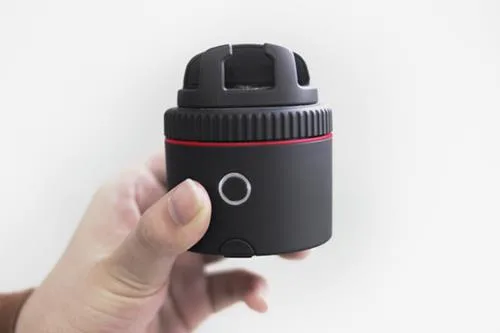
1. With your Pivo Pod turned on, enter Remote Control pairing mode by pressing the Pivo Pod's power button 3 times in quick succession. The power button will blink white, indicating your Pivo Pod is now discoverable by the Remote Control. If the LED light isn't blinking white, simply repeat this step.
Pivo Remote Control — Pairing Remote Control diagram (page 1)
図 1 · Pairing Remote Control
2. On the Remote Control, press and hold the center button marked + until the device beeps 3 times indicating a successful connection.
Page 2 of the Pivo Remote Control user manual — Remote Control
2ページ · クリックして拡大
2ページ
Pivo Remote Control — Remote Control diagram (page 2)
図 2 · Remote Control
3. The Remote Control is now connected and ready to use.

Remote Control

Pivo's Remote Control has a working range of up to 50 ft/15 m. For optimal performance, it's best to make sure there is a clear, unobstructed path between your Pivo Pod and the Remote Control.

The Remote Control uses replaceable 3V coin-type batteries (CR1632). Two batteries are included in the Remote Control. Carefully remove the batteries' protective plastic strips before pairing to the Pivo Pod.

Range · Battery type

Page 3 of the Pivo Remote Control user manual — Remote Control
3ページ · クリックして拡大
3ページ
Pivo Remote Control — Remote Control diagram (page 3)
図 3 · Remote Control

Pivo Remote Controlについて質問する

ユーザーまたはスタッフが通常1日以内に回答します。あなたの質問が次の人の助けにもなります。

Add your email to get notified when it’s answered — no spam, ever.

0 questions
Pivo Remote Controlに関する質問はまだありません

最初の質問を投稿しましょう。他のユーザーや当チームが回答します。

原本

Pivo Remote Control 取扱説明書(PDF)

3 ページ·100 KB·リモコン·PDF
上のページをクリックするとここに表示されます
ページ 1 / …
100%
ページを読み込み中…