

Download the file.
Verify if folder “JBC” is present in internal storage in the Android device used as b.iron monitor. If do not exist créate it.
Copy downloaded file in JBC foder.
Access JBC B.iron APP
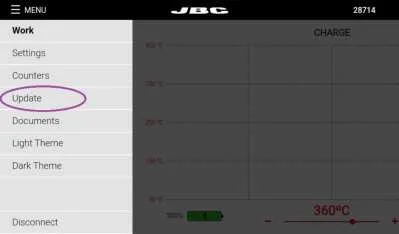
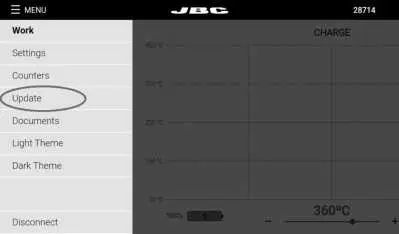
Select Update menu.
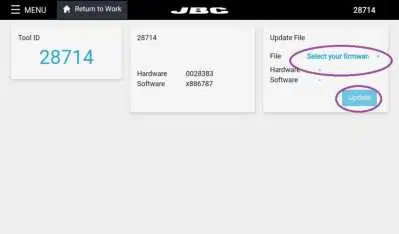
Select downloaded file and click “Update”

Process last about 5 minutes.
B.iron light continuously changes colour during the process.

En el almacenamiento interno de la Tablet usada como monitor del b.iron, verificar si existe la carpeta JBC. Si no existe crearla.
Copiar el archivo descargado en la carpeta JBC
Entrar en la APP JBC B.iron
Accede al menú Update.

Seleccionar el archivo descargado y pulsar “Update”
Descargar el archivo

El proceso tarda aproximadamente 5 minutos.
La luz del b.iron cambia continuamente de color durante el proceso.
ユーザーまたはスタッフが通常1日以内に回答します。あなたの質問が次の人の助けにもなります。
最初の質問を投稿しましょう。他のユーザーや当チームが回答します。